Accounts payable
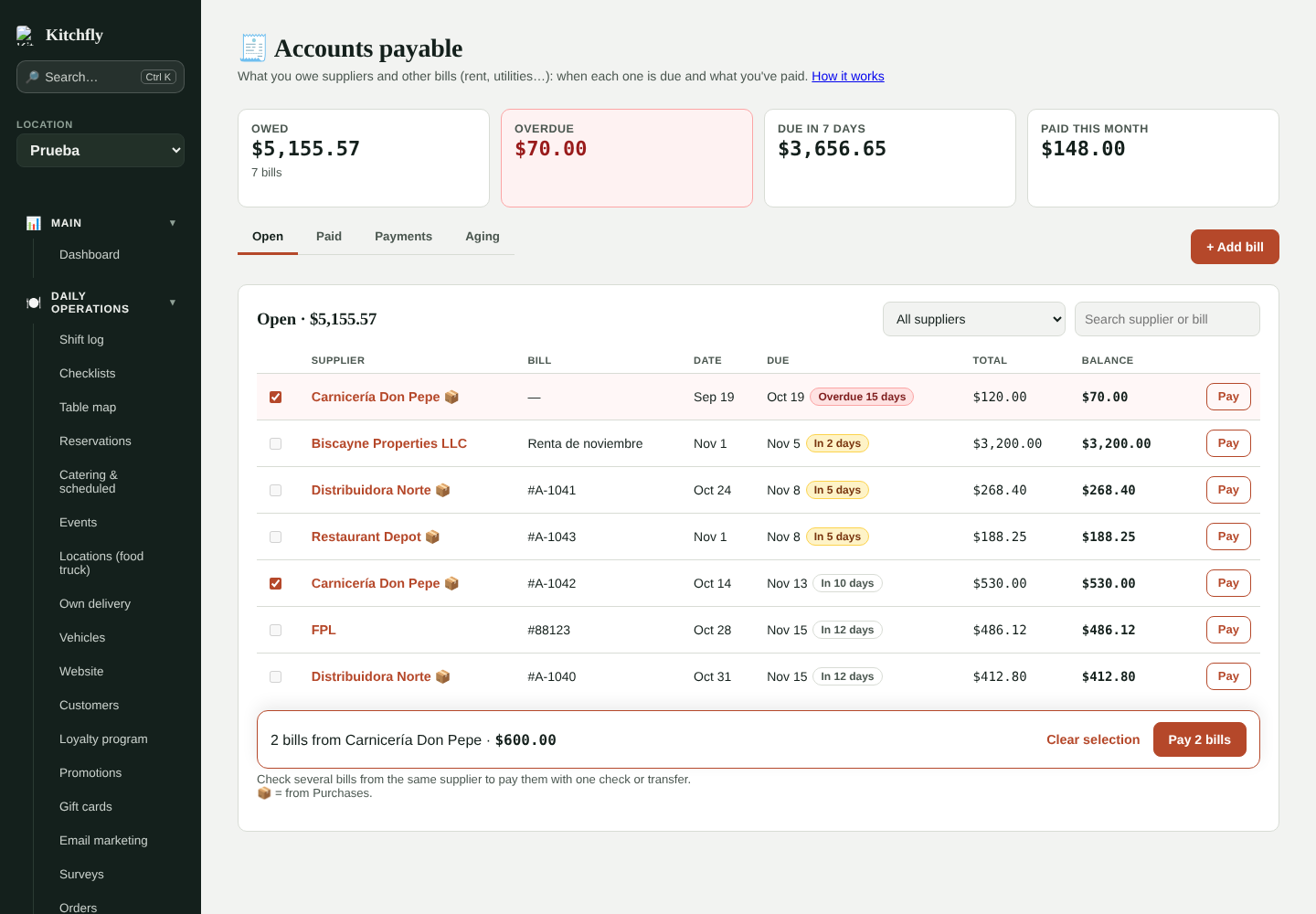
Track what you owe suppliers and other bills (rent, electricity, gas, internet…): when each one is due, what you've paid and what's overdue. Find it in Finance & costs → Accounts payable (admin only). It's included in both plans.
1. Set your suppliers' terms
In Inventory & purchasing → Suppliers, in the Terms column, choose for each supplier:
- Cash on delivery: you pay on receipt. Their purchases don't create a balance (they count as paid that day).
- Net 7, 15, 30…: their purchases go to Accounts payable automatically and are due that many days after the bill date.
2. Bills from your purchases build themselves
When you record a purchase (or receive an order) from a supplier with terms:
- Lines with the same bill number go on the same bill. Without a number, lines from the same day are grouped.
- The total is the sum of the lines. If the bill has shipping, tax or a discount, open it and add an Adjustment.
- If you delete a purchase, its bill's total updates automatically.
Bills from Purchases show the 📦 icon.
3. Other bills: rent, utilities…
Tap + Add bill, enter who gets paid, a description, the amount, the date and when it's due.
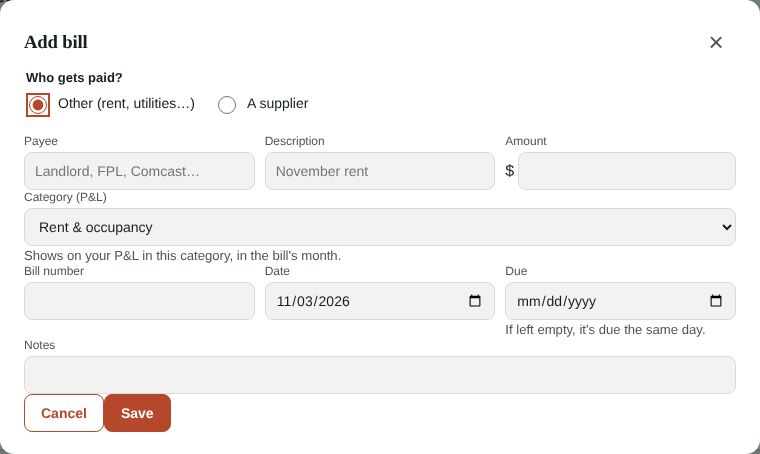
- With a category, the bill shows on your P&L in the bill's month.
- If you have that expense as a fixed cost (rent, for example), choose Replaces fixed cost: that month uses the real amount and it isn't counted twice.
- No category is for a supplier's previous balance (when you start using Accounts payable).
4. Pay
Tap Pay on a bill, or check several from the same supplier and tap Pay N bills to cover them with one check or transfer.
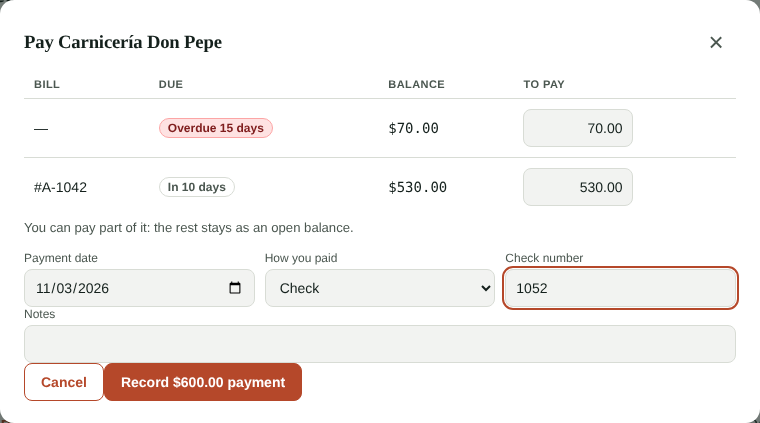
- You can pay part of it: the rest stays as an open balance.
- Choose how you paid: bank transfer, check (with its number), card, cash from the drawer or cash not from the drawer.
- Cash from the drawer is recorded as a payout from the open drawer, so your cash count balances.
- Made a mistake? In the Payments tab tap Void: the bills go back to open. A cash payment from a drawer that's already closed can't be voided.
Tabs
- Open: what's pending, by due date. Overdue bills are highlighted in red.
- Paid: the history, by date range.
- Payments: each payment with its method and the bills it covered.
- Aging: what you owe each supplier by days past due (current, 1–30, 31–60, 61–90 and over 90).
Reminders
Every morning we let you know in the bell and the daily summary if bills are overdue or due in the next few days. You choose how many days ahead in Cash flow.
FAQ
Do I have to enter my old bills? Only the ones you still owe. Enter them with + Add bill and no category (if you already recorded those purchases in inventory) so they aren't counted twice on the P&L.
Does it sync to QuickBooks? Not for now: purchases keep syncing as always. Payments are tracked in Kitchfly only.