Get help from support
If something isn't working or you have a question that isn't covered in this help center, write to us from the app. We reply on WhatsApp.
From Kitchfly
- In the side menu, at the bottom, click Support.
- Pick the request type: Problem, Question, Suggestion or Billing.
- Write what you were trying to do and what happened. As you type, Kitchfly suggests help articles that may already have the answer.
- If you can, add a screenshot: click to pick it, drag it into the box, or paste it straight into the message with Ctrl+V (Cmd+V on Mac).
- Click Send and open WhatsApp.
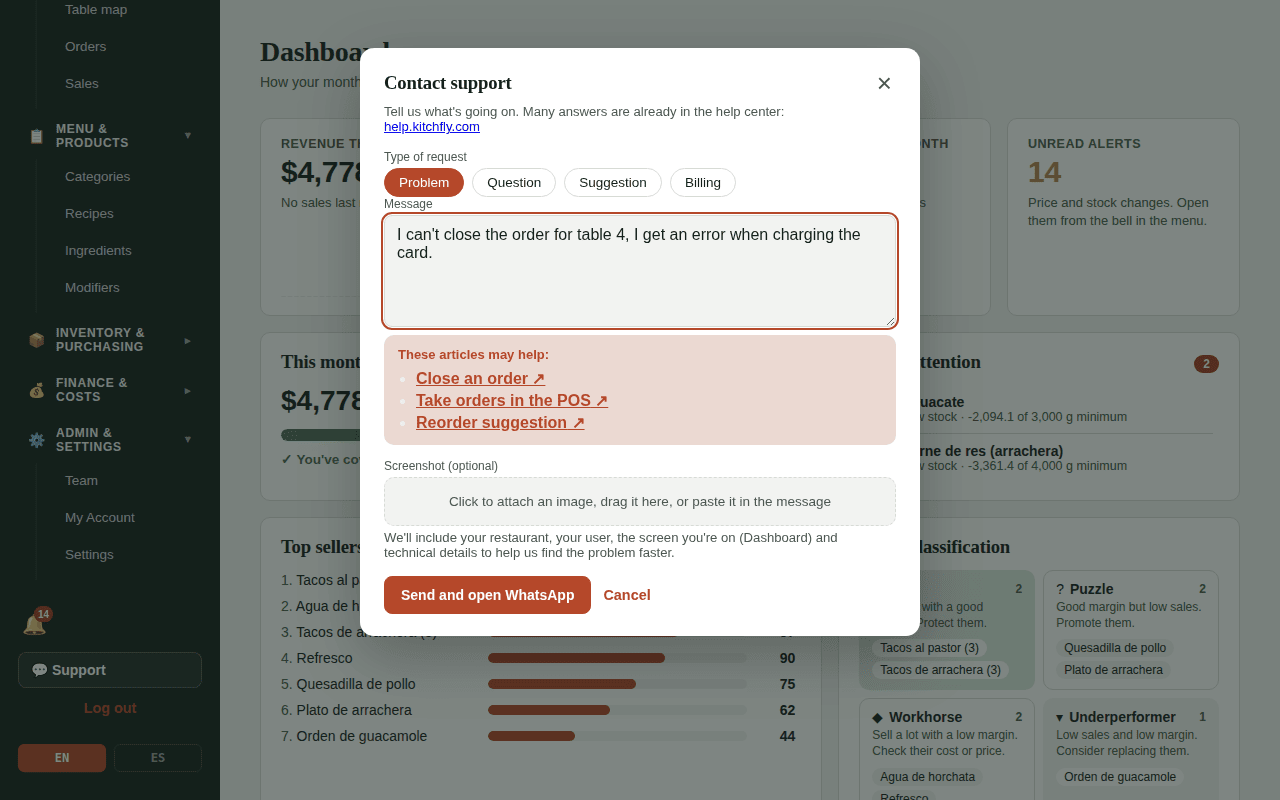
Your request is saved with a reference number (for example K-0007) and WhatsApp opens with the message already written. Just send it.
No need to explain where you were
Along with your message we get your restaurant, your user, the screen you were on and some technical details. That helps us find the problem faster. Passwords are never sent.
No WhatsApp?
Email [email protected] with your reference number. You can also write to that address directly even if you didn't open a request.
Servers and kitchen
Only the admin sees the Support button. If you're a server or cook and something breaks, tell your admin so they can report it; the screen where it happened helps a lot, so take a photo if you can.
Before you write
Many questions are solved quickly in Common problems.