Search Kitchfly
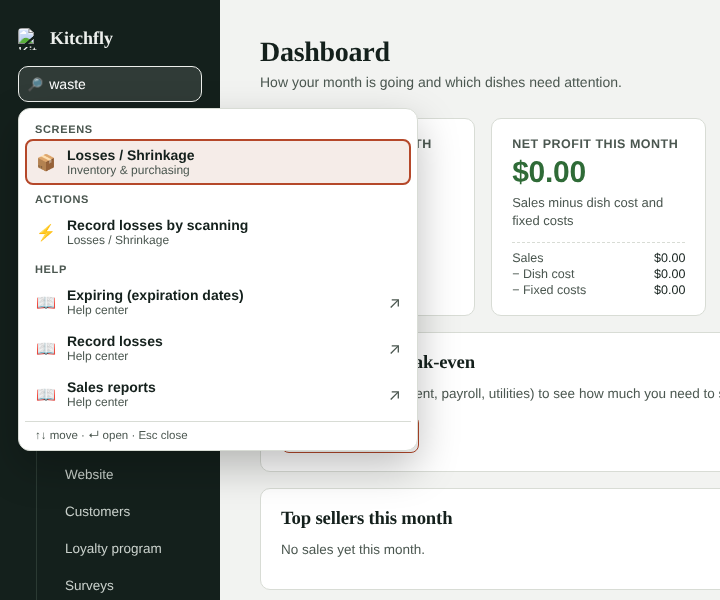
Kitchfly has a lot of screens. Instead of hunting through the menu, type what you want to do in 🔎 Search…, under the logo in the admin menu.
How to use it
- Click 🔎 Search… or press Ctrl+K (⌘K on a Mac) from any screen. / works too when you're not typing in a box.
- Type a word or two, in English or Spanish: waste, receive, kiosk, tips, schedule.
- Move with ↑ ↓ and open with Enter, or tap the result. Esc closes it.
What it finds
- Screens: any screen in the menu, also by other words. Waste goes to Losses / Shrinkage and payroll to Hours & labor.
- Actions: they open the screen ready to work. For example Receive a delivery with the scanner, Create an event, New reservation, Print prep labels, Do an inventory count, Import customers or a Settings section (Kiosk, Printing, Integrations…).
- Help: articles in this help center about what you typed. They open in a new tab.
With the box empty you'll see what you last opened from search.
Admins only
Search is in the admin menu. It only shows screens your account can see.
Still need help?Use the Support button inside Kitchfly (how) or email [email protected] with your restaurant name and a screenshot. We'll get back to you as soon as possible.