Read the Dashboard
The Dashboard is the admin's home screen. At a glance it answers three questions: how is the month going?, what needs my attention today? and which dishes make or lose money?
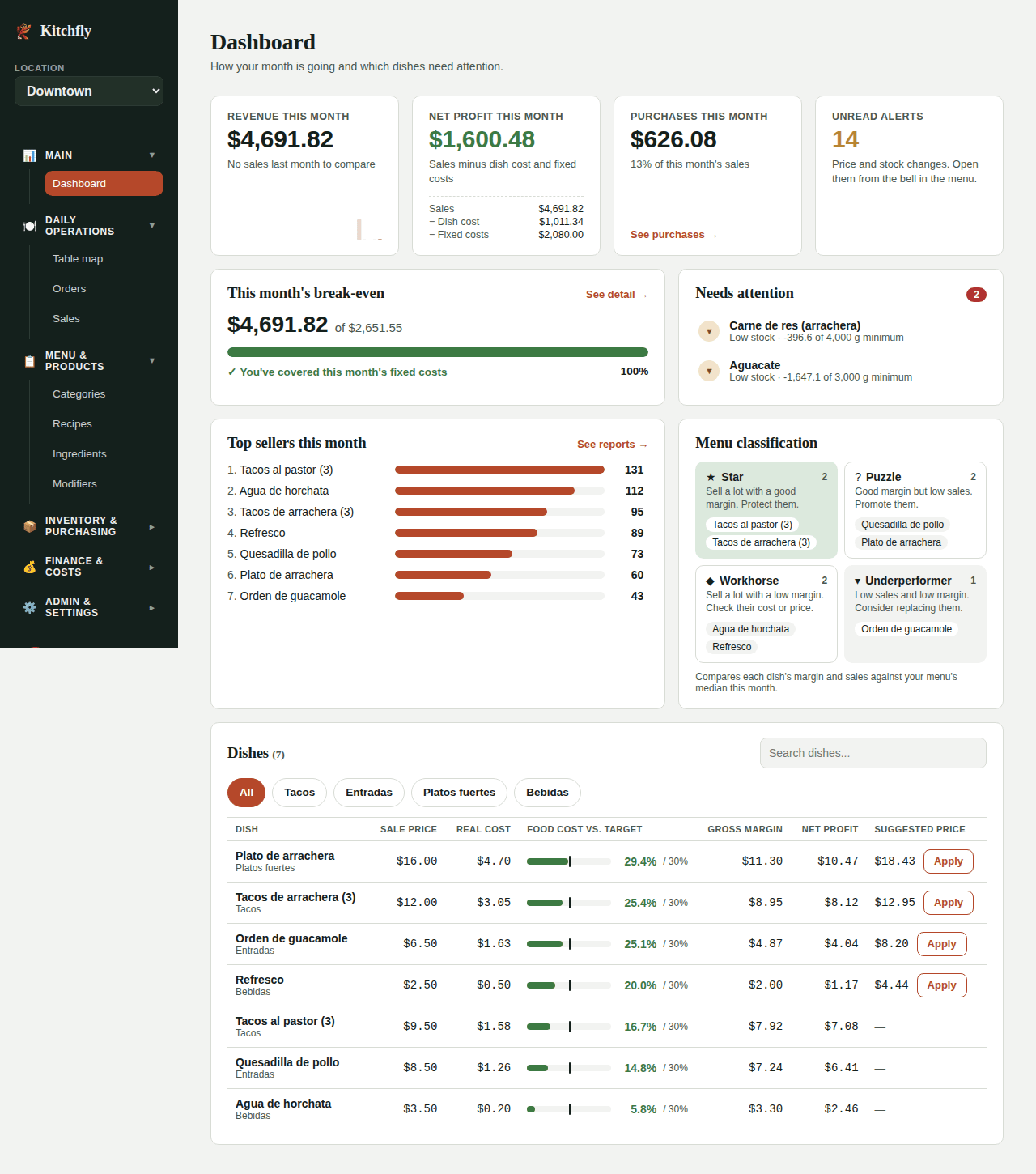
This month's numbers
| Card | What it shows |
|---|---|
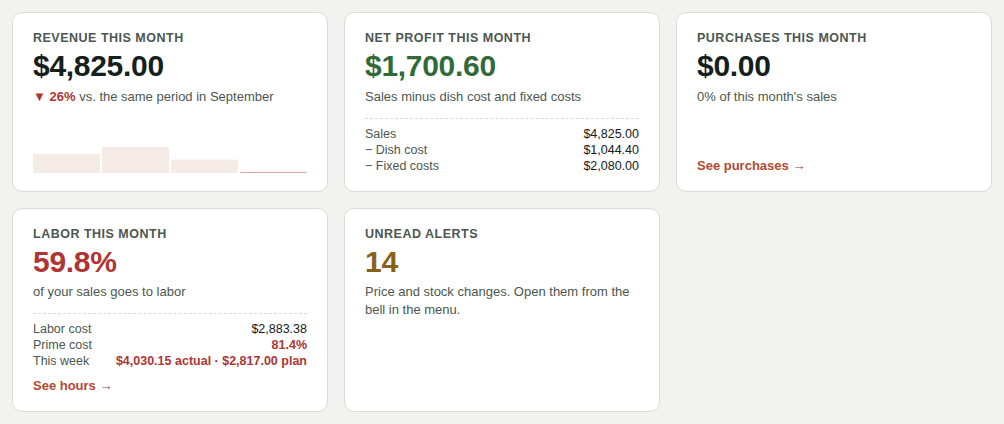
| Revenue this month | Sales from orders closed this month. Below, it's compared against the same period last month (for example, the 1st–15th vs. the 1st–15th), with a small bar for each day. Hover over a bar to see that day's sales. |
| Net profit this month | Sales minus the cost of the dishes sold and your fixed costs. The breakdown is shown below. It turns red if you're losing money. |
| Purchases this month | What you spent with suppliers and what percentage of your sales that is. See purchases opens the detail. |
| Labor this month | How much of your sales goes to staff (hours from the time clock + salaries). Below are labor cost and prime cost (food + labor). Green up to 30%, yellow up to 35% and red above that. If you have a published schedule for this week, you also see This week: actual · plan: what you've spent on labor since the week started against what the schedule said up to today. It turns red when you're more than 5% over plan. See hours opens Hours & labor. It only shows once you've set pay or logged shifts. |
| Unread alerts | Price increases, stock running out, high labor and more. Open them from the bell in the menu. See Smart alerts. |
This month's break-even
The bar shows how much you've sold against what you need to sell to cover this month's fixed costs, and how many days are left in the month. When you reach it you'll see You've covered this month's fixed costs. See detail opens the full Break-even report.
Don't see the bar?
You need sales this month and your Operating costs entered (rent, payroll, utilities). If they're missing, the card takes you to add them.
Needs attention
One list with what's worth checking today, most urgent first:
- High food cost: the dish costs more than your target allows (for example 34% · target 30%).
- Low stock: the ingredient is below its Minimum stock.
- No cost: the dish's recipe has no priced ingredients, so its cost shows as $0.
Click an item to jump to Recipes or Ingredients and fix it. Long lists scroll inside the card. When everything is fine you'll see All good.
Top sellers this month
Your dishes ranked by units sold, with a bar to compare them. See reports opens the sales reports for more detail (by hour, server, category).
Menu classification
Each dish lands in one of four groups. Kitchfly compares its margin and sales against your menu's median this month:
| Group | What it means | What to do |
|---|---|---|
| ★ Star | Sells a lot and has a good margin | Protect it: don't change the recipe or price without thinking it through. |
| ? Puzzle | Good margin but doesn't sell much | Promote it, feature it on the menu, have servers recommend it. |
| ◆ Workhorse | Sells a lot with a thin margin | Check its cost, the portion, or raise the price a little. |
| ▾ Underperformer | Low sales and low margin | Consider replacing or removing it. |
Dishes table
All your published dishes, with search and a category filter. The table scrolls on its own and the header stays visible.
- Sale price, Real cost and Gross margin.
- Food cost vs. target: a bar in green (at or below target), yellow (close) or red (above). The tick marks your target, set in Settings → Sales & costs → Target food cost % unless the dish has its own.
- Net profit: what each dish earns after its share of fixed costs.
- Suggested price: the price that hits your target food cost, including the dish's share of fixed costs.
The Apply button
Apply only shows up when the suggested price is higher than your current price, meaning you're undercharging. Click it and that becomes the dish's new price (in the POS too), and the button goes away because you're already at the suggested price.
If your price is already equal to or above the suggestion, there's no button: lowering it automatically wouldn't make sense. To change a price by hand, do it in the dish's recipe.
Why is my food cost red?
An ingredient went up (check recent purchases), the recipe quantities are too high, or the price hasn't been updated in a while.
On your phone
The Dashboard stacks into one column and the table hides a few columns so it fits. See Use Kitchfly on a tablet and phone.