Consolidated report (all locations)
If you have two or more locations, Finance → Consolidated shows them side by side: who sells the most, who's growing, who's off their goals and how they compare with the previous period. Admins with access to more than one location in the same company can see it.
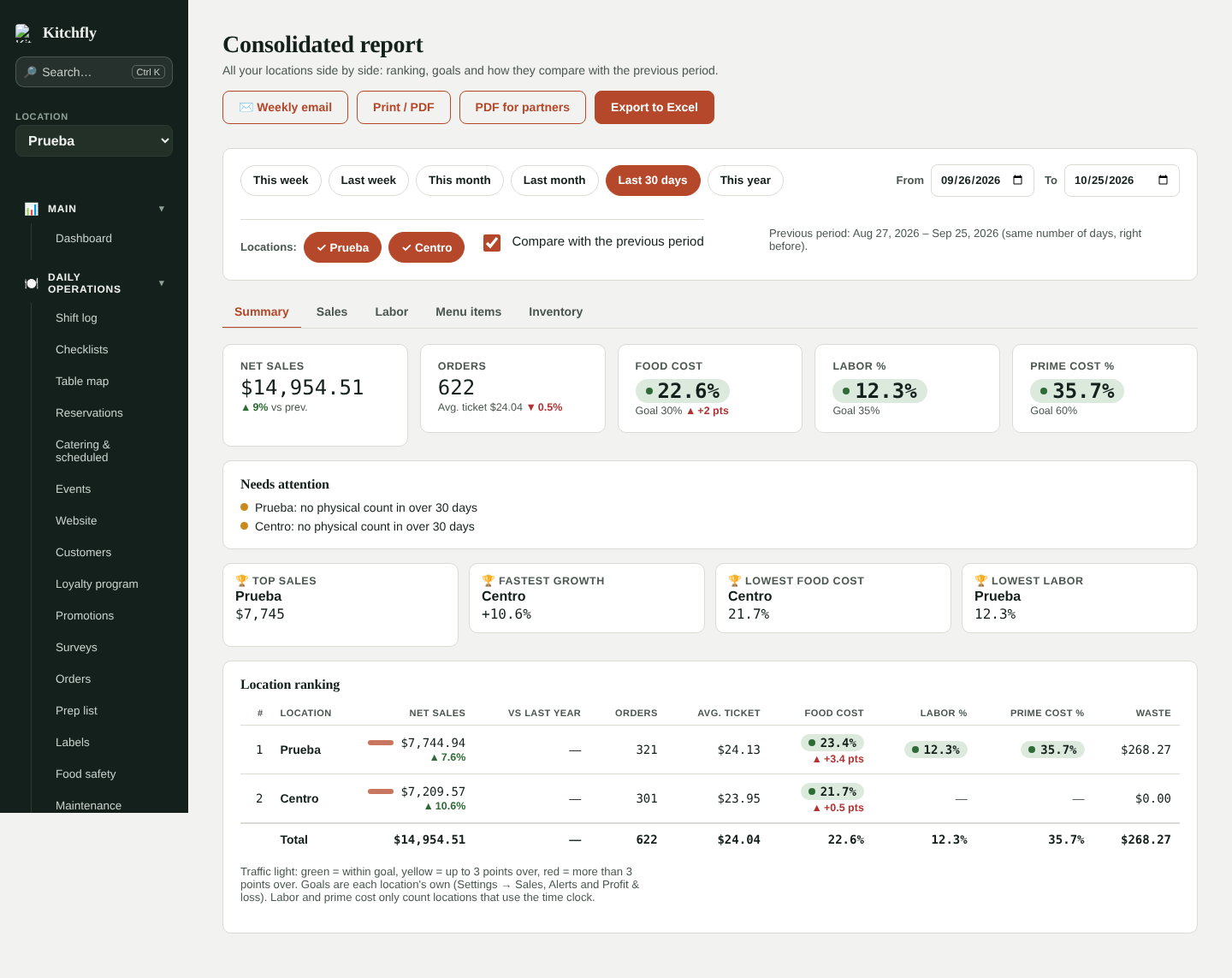
Pick the period and locations
- Period: this week, last week, this month, last month, last 30 days, this year, or any dates you want (up to 400 days).
- Locations: tap a location to remove it or add it back. Only the locations you have access to appear.
- Compare with the previous period: compares with the same number of days right before (for example, a 30-day period is compared with the 30 days before it). Sales are also compared with the same period last year when there's data.
Summary
- Totals: net sales, orders, average ticket, food cost, labor % and prime cost %, with the change vs the previous period (green ▲ = better, red ▼ = worse; for cost percentages, going down is better).
- Needs attention: locations over their food cost, labor or prime cost goal, sales down 10% or more, and locations without a physical count in over 30 days.
- Top spots: top sales, fastest growth, lowest food cost and lowest labor.
- Location ranking, sorted by sales, with a traffic light on each cost:
- Green: within goal.
- Yellow: up to 3 points over goal.
- Red: more than 3 points over.
Goals are each location's own: target food cost (Settings → Sales), maximum labor (Settings → Alerts) and prime cost goal (Profit & loss).
Labor and prime cost
Only locations that use the time clock are counted. A location with no clock-ins in the period shows "—" instead of green.
Sales
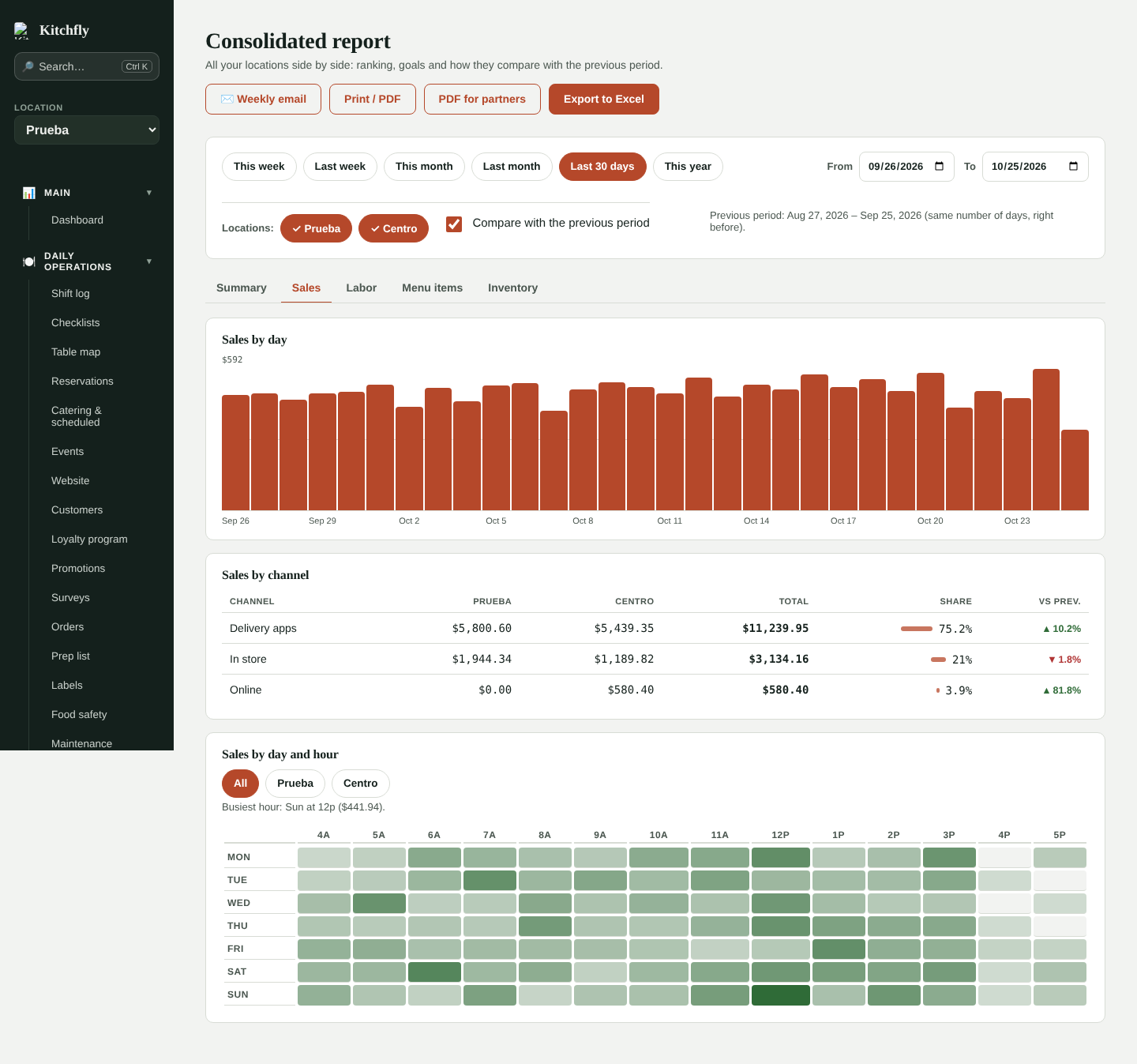
- Sales by day for the whole company (hover to see each location).
- Sales by channel: in store, online, table QR, kiosk, catering and delivery apps, per location, with share and change.
- Sales by day and hour: a heat map of your busy hours. Choose All or one location.
Labor
Hours, overtime, employees, labor cost, labor %, food cost, prime cost and sales per labor hour for each location, with notes about open shifts or employees without a pay rate.
Menu items
Your top 60 items across the company. Items are combined by name across locations, so "Steak tacos" at two locations counts as one. You see units (and their change), sales, profit, food cost, share and the units at each location. When an item isn't sold at a location, it's flagged: it may be an opportunity or an item missing from that menu.
Inventory
- Starting and ending inventory, purchases, waste (and its % of sales), shrinkage (actual − theoretical cost), days of inventory and last count date for each location.
- Purchases by vendor: the same vendor across locations is combined, so you know how much you buy from them as a company and can negotiate volume pricing.
- Waste by ingredient and by reason.
Export
- Export to Excel: one file with a sheet per section (Summary, Sales, Labor, Menu items, Inventory and Vendors), with the traffic light colors.
- PDF for partners: a 2–3 page report ready to send to the owner or your partners.
- Print / PDF: prints the screen with all sections.
Both come out in your app language and use the locations and period you picked.
Weekly consolidated email (Pro)
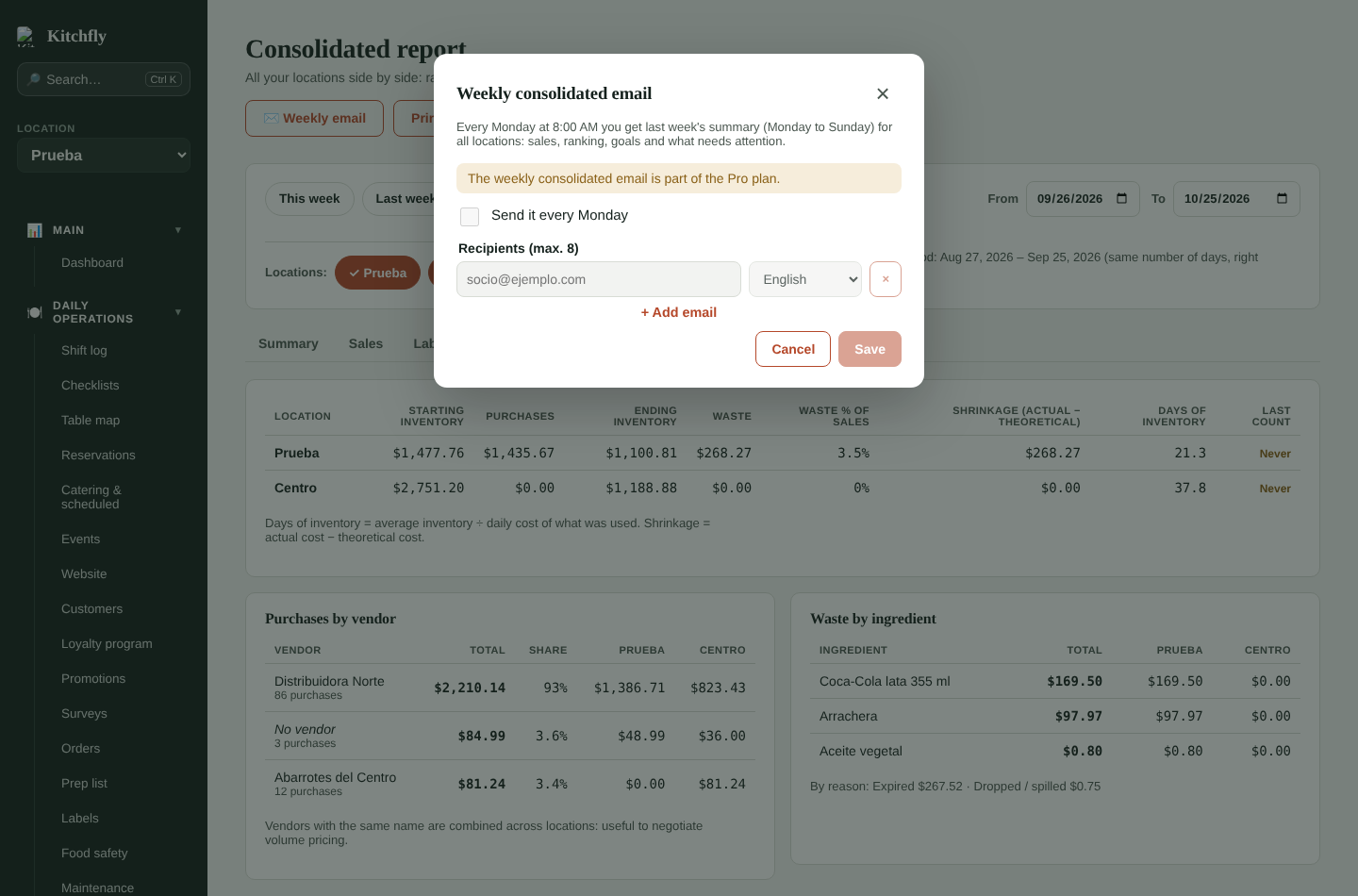
Tap Weekly email, turn on Send it every Monday and add up to 8 emails (each with its own language). Every Monday at 8:00 AM, last week's summary (Monday to Sunday) for all locations arrives: sales vs the previous week and last year, food cost and prime cost vs goal, the ranking, sales by channel, top items and what needs attention.
- Send me a test sends last week's report to your email right away.
- Each recipient can unsubscribe with the link at the bottom of the email.
- It's separate from the daily summary: you can have both.