Record losses
When something spoils, falls on the floor or burns, record it as a loss. It comes out of stock and you can see how much money you lose each month, and why.
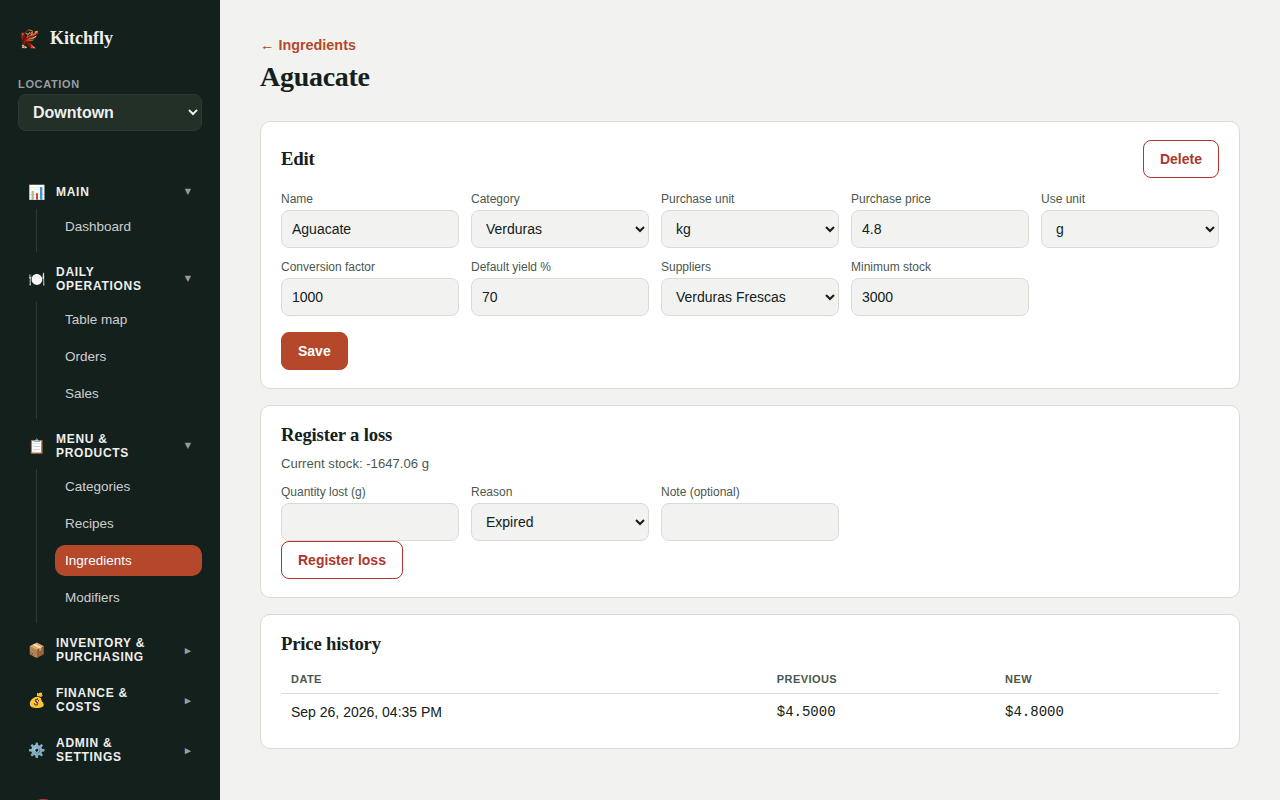
Register a loss
- Go to Ingredients and click the ingredient.
- In Register a loss you'll see its current stock.
- Enter the Quantity lost (in the use unit, e.g. g).
- Choose the Reason: Expired, Dropped/spilled, Burnt or Other.
- Add a Note (optional) and click Register loss.
Review your losses
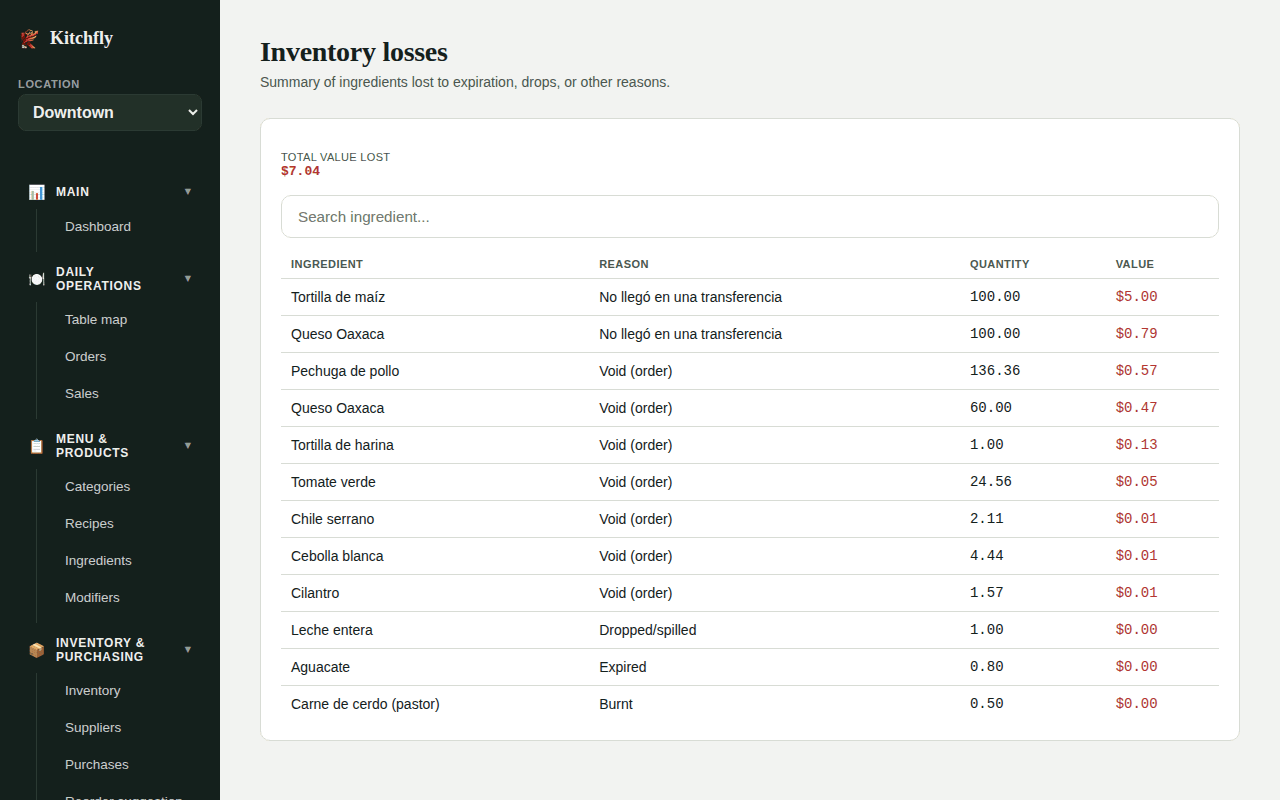
The Losses page shows every loss with its Reason, Quantity and Value, plus the Total value lost.
Use the reasons
Many Expired losses → you're buying too much or rotating poorly. Many Burnt or Dropped → a training or process issue on the line.
Still need help?Use the Support button inside Kitchfly (how) or email [email protected] with your restaurant name and a screenshot. We'll get back to you as soon as possible.