Build your recipes
A recipe tells Kitchfly what goes into a dish and how much. With that, Kitchfly calculates the real cost of each plate and keeps it current every time an ingredient price changes.
Dishes and sub-recipes
There are two types of recipe:
- Dish: what you sell (e.g. Tacos al pastor). It can be published to your menu with a price.
- Sub-recipe: a preparation you make in batches and use inside dishes (a salsa, a dough, a stock, a dressing). You don't sell it by itself.
Why use sub-recipes?
If you make a green salsa that goes into 10 dishes, cost it once as a sub-recipe. When tomatillo prices go up, all 10 dishes update automatically.
1. Create the recipe
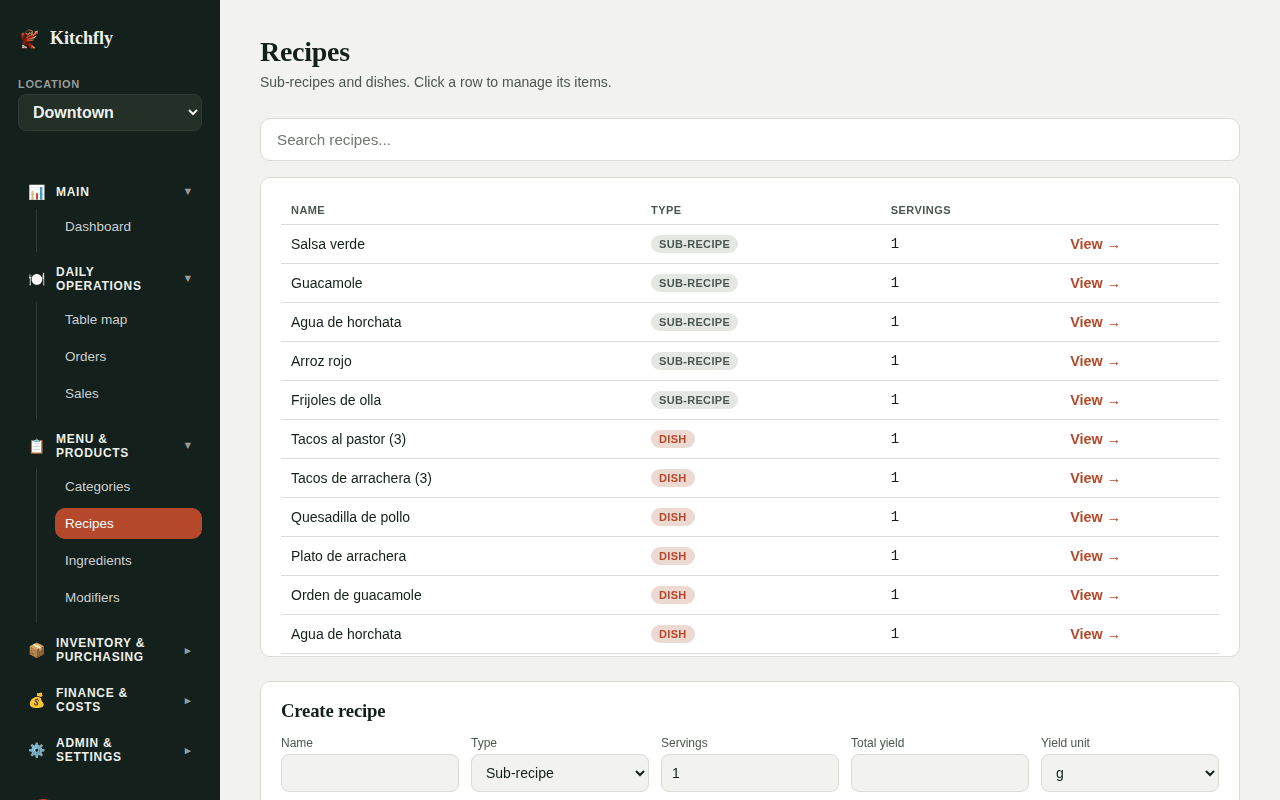
Go to Recipes and scroll to Create recipe:
- Name and Type (Dish or Sub-recipe).
- Servings: how many portions the recipe makes. If your recipe is for a single plate, leave 1.
- For a sub-recipe, also fill Total yield and Yield unit: how much the batch produces in total (e.g. 900 g of salsa). Kitchfly needs this to cost each gram or ml you use inside a dish.
- For a dish, you can choose a Menu category.
- Click Save recipe, then click the recipe in the list to add its items.
2. Add the items
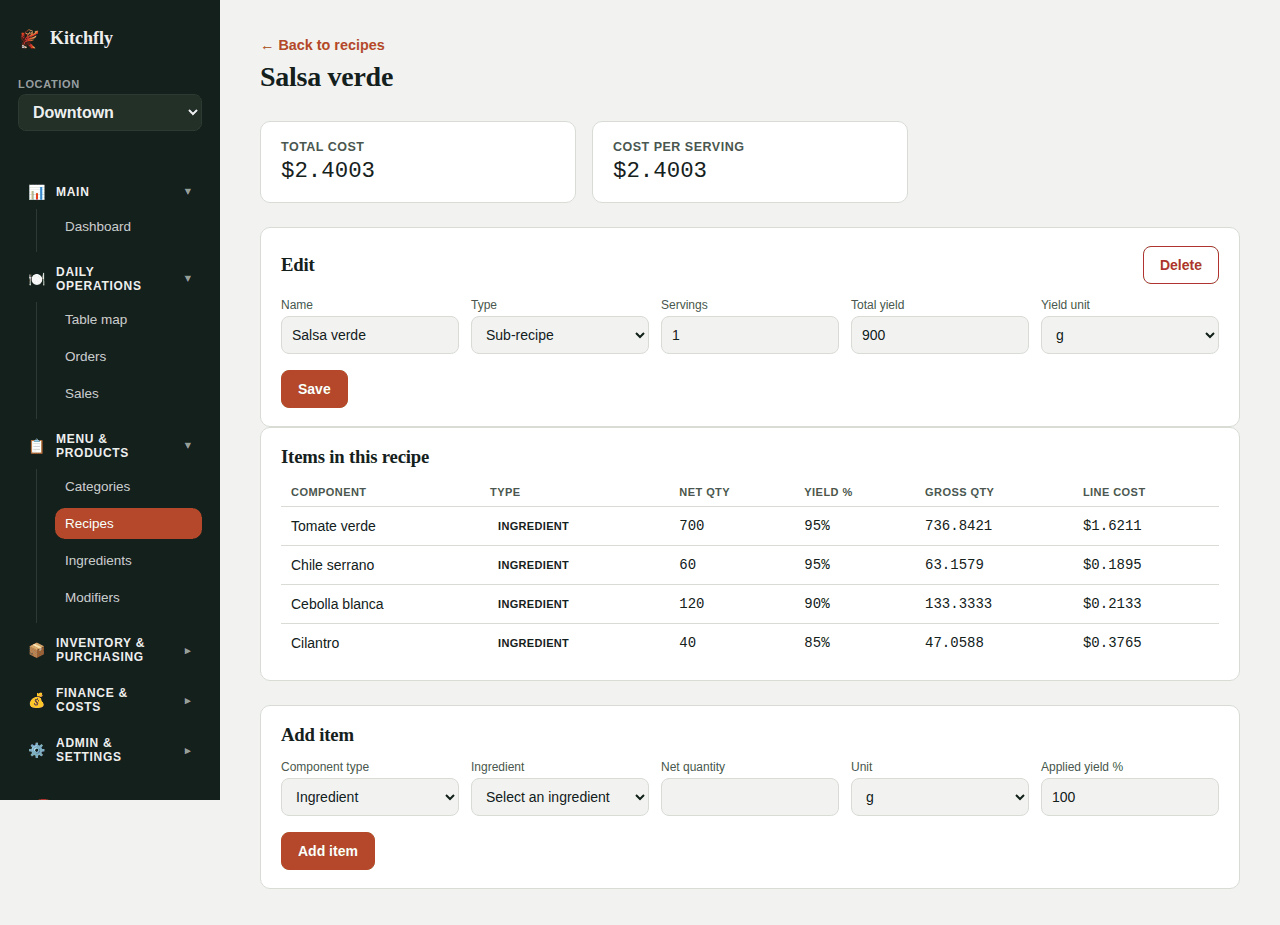
On the recipe page, use Add item:
| Field | What to enter |
|---|---|
| Component type | Ingredient or Sub-recipe. |
| Ingredient / Sub-recipe | Pick it from the list. |
| Net quantity | The amount that actually ends up on the plate, already clean. |
| Unit | g, kg, ml, l or piece. |
| Applied yield % | The usable part. It starts at the ingredient's default yield; change it if this recipe uses it differently. |
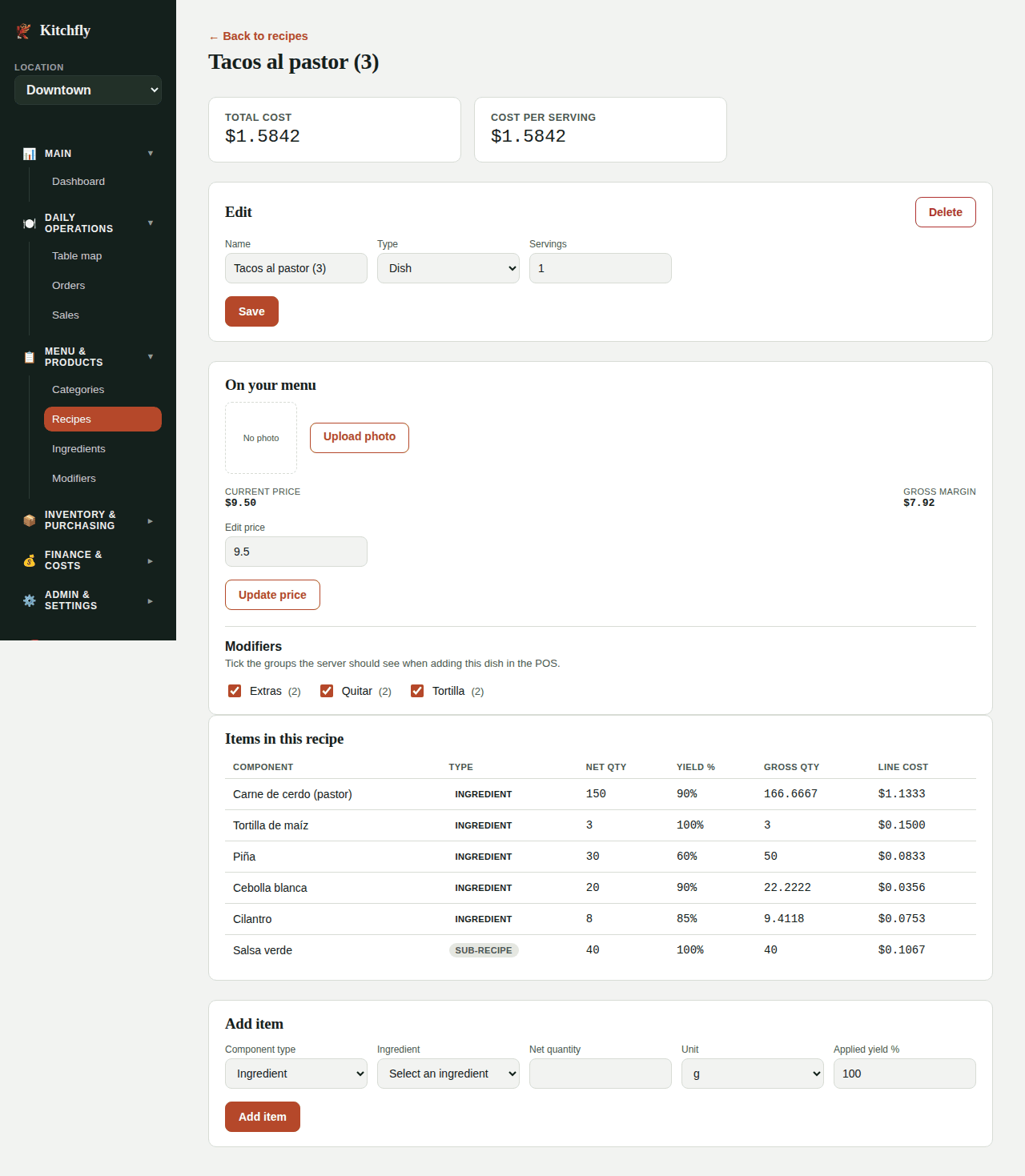
Click Add item. Kitchfly calculates the Gross qty (what you really need to buy: net ÷ yield) and the Line cost. At the top you'll see the recipe's Total cost and Cost per serving.
How yield changes the cost
You need 150 g of clean pork per order and the pork has 90% yield. Kitchfly counts 166.67 g gross (150 ÷ 0.90), because that's what you actually buy and trim.
Using a sub-recipe inside a dish
In the dish, choose Component type → Sub-recipe, pick it and enter how much you use (e.g. 40 g of green salsa). Kitchfly divides the sub-recipe's total cost by its Total yield to get the cost per gram.
Same unit
Enter the quantity in the same unit you chose as the sub-recipe's Yield unit. If the salsa yields 900 g, use it in g (40 g), not in kg.
Sub-recipe shows an error or $0 inside a dish?
Open the sub-recipe, fill Total yield and Yield unit in the Edit card and click Save. In the dish, use the sub-recipe in the same unit as its yield unit (if the yield is in g, enter the quantity in g).
Next: Publish a dish with a menu price →