Orders and refunds
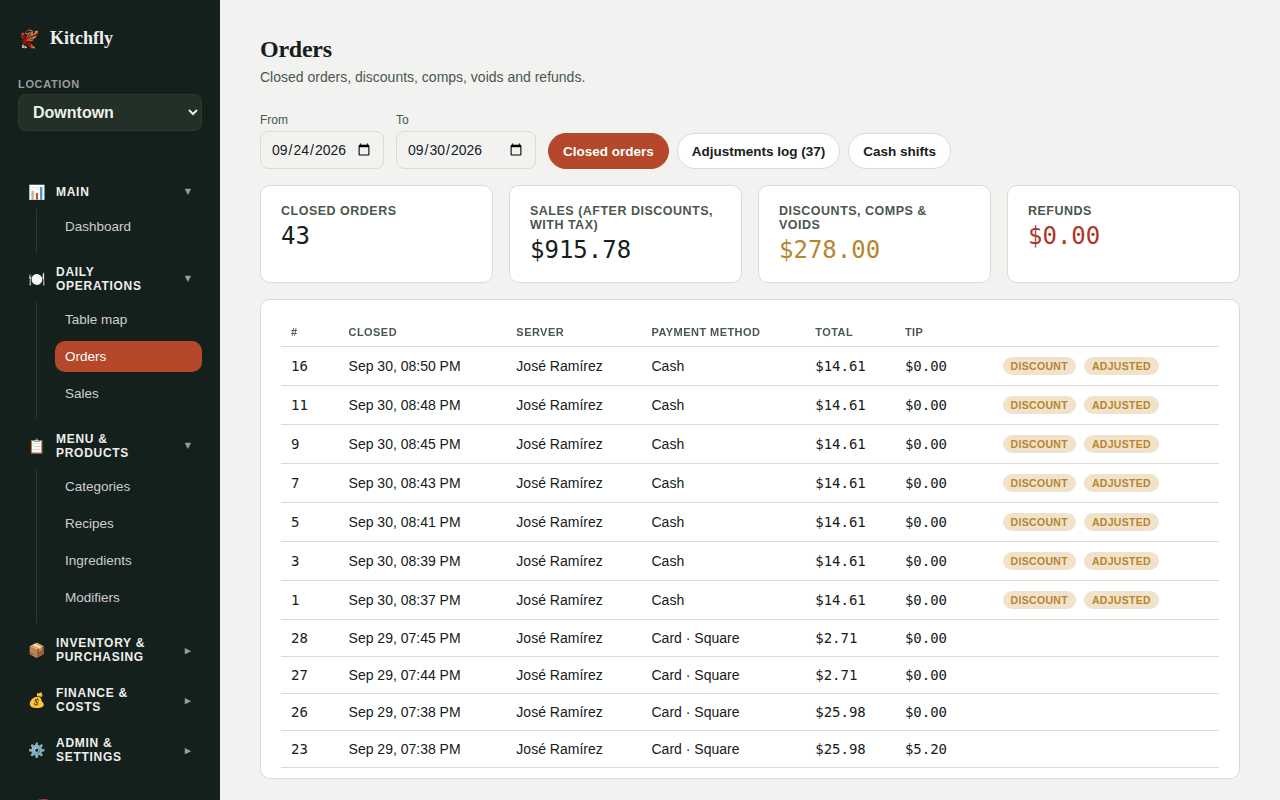
The Orders page (admin) shows the closed orders and everything that lowered a sale. Pick a date range with From and To.
The cards at the top add up the period: closed orders, sales, discounts/comps/voids and refunds.
Closed orders
Click an order to see its detail: dishes with modifiers, comps and voids, discount with its reason, tax, tip and each payment. From there you can Reprint receipt.
Refund an order
- Open the order and go to Refund.
- If the bill was split, choose From payment.
- Type the Amount (total or partial) and the Reason, then click Refund.
What happens with the money:
- Paid with Square: it goes back to the customer's card automatically.
- Card paid outside Square: it's only recorded; refund it on your terminal.
- Cash: it's only recorded; give the money back from the register. If the drawer is open, it's subtracted from that shift.
Refunds are subtracted from the month's revenue on the Dashboard and from the day's sales in QuickBooks.
Adjustments log
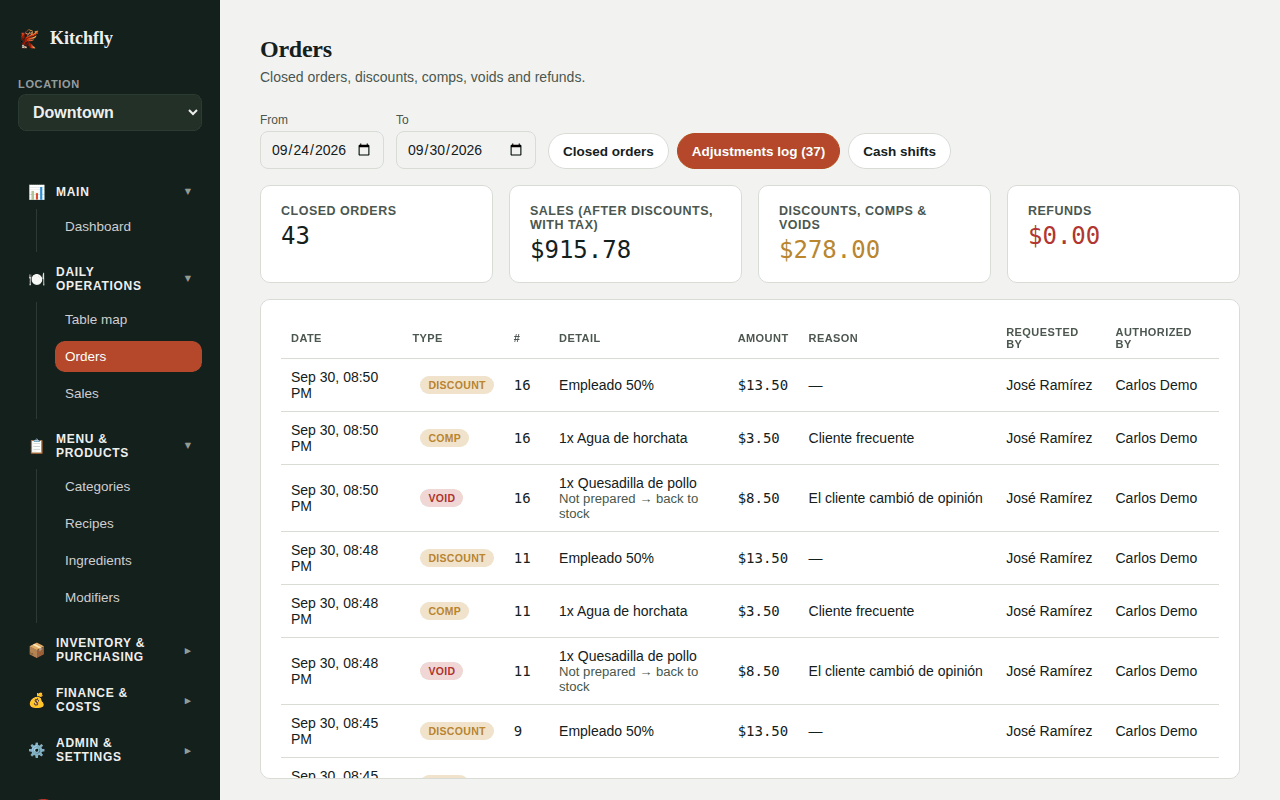
The Adjustments log tab lists every discount, comp, void and refund with the amount, reason, who requested it and who authorized it. For voids, it also says whether the dish was prepared (loss) or went back to stock.
Check it every week
Lots of comps or voids from the same person, or with the same reason, is worth a conversation.
Cash shifts
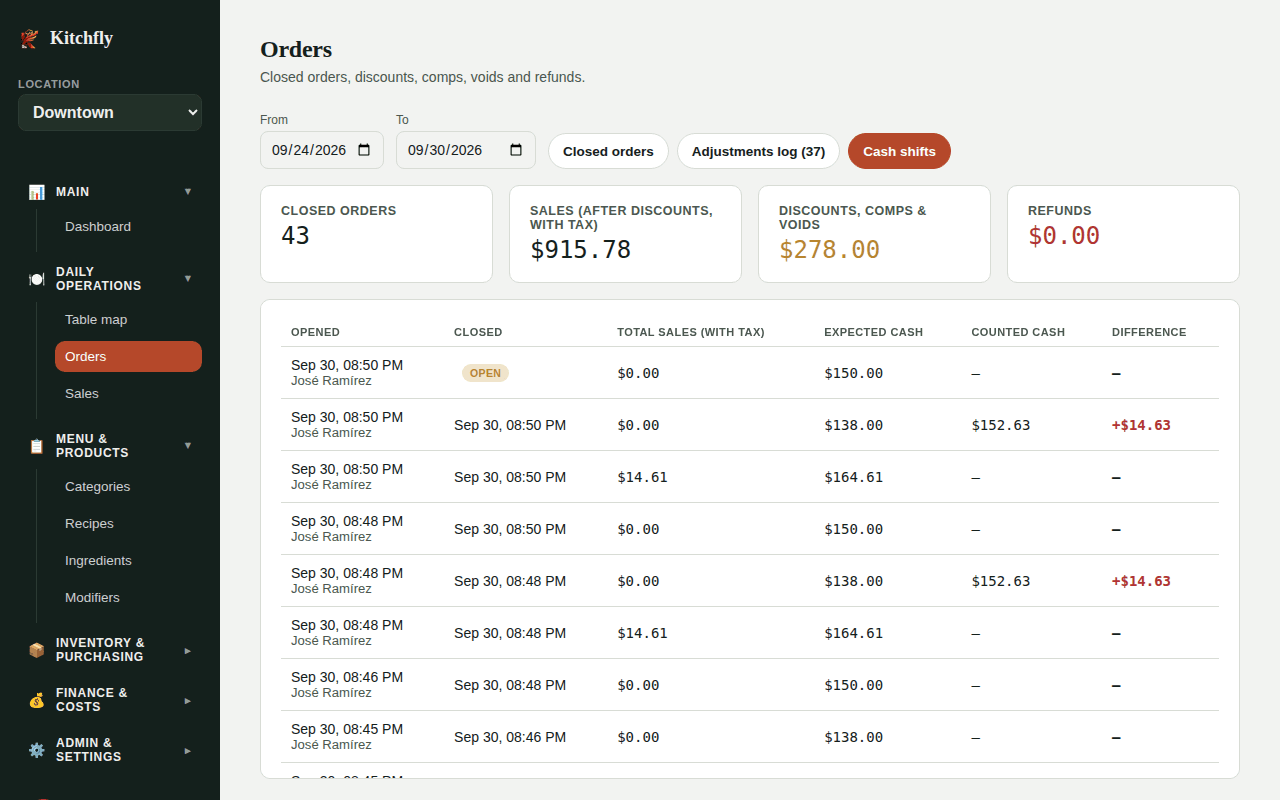
The Cash shifts tab shows each cash drawer shift with its expected and counted cash and the difference. Click one to see the full report.