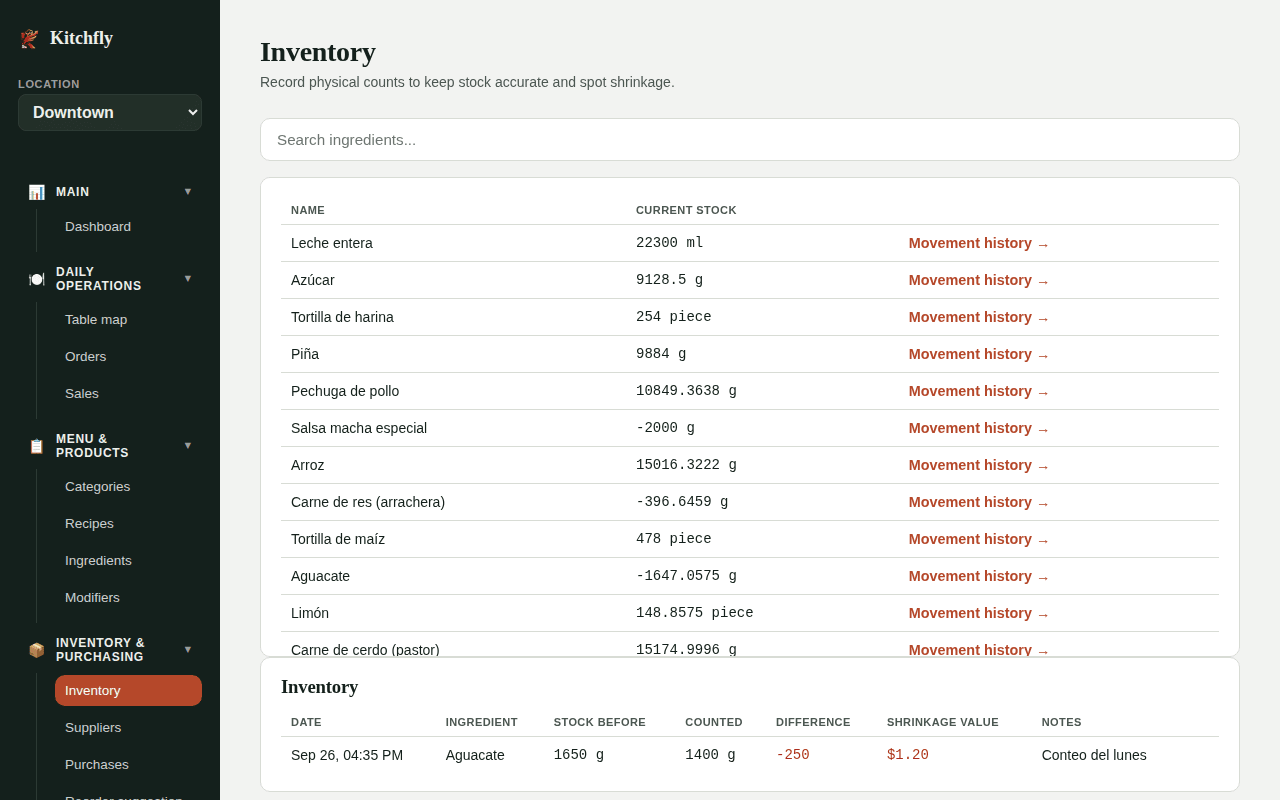
Inventory count: theoretical vs. actual
Kitchfly keeps a theoretical inventory: it adds purchases and subtracts what each sale should use according to the recipe. Reality is never exact: portions vary, things spoil, things disappear. When you count what's physically on hand, Kitchfly corrects the stock and tells you what's missing and what it costs.
How often?
Count your most expensive items (meat, seafood, cheese, liquor) every week and the whole inventory once a month. Always count at the same time (for example, before opening) so periods compare fairly.
Full count (recommended)
Go to Inventory → Full count. It's included in every plan, and both admins and cooks can do it (from the kitchen display: ⋮ menu → 📦 Inventory count).
- Under What are you counting? pick All inventory, an area (Walk-in, Freezer…) or a category, and click Start count.
- Enter what's on hand for each ingredient. If you buy it in another unit (case, lb, kg), tap that unit and count in cases: Kitchfly converts it.
- Each number saves when you leave the box (✓). Several people can count at once from their phones or tablets; the sheet refreshes on its own.
- Use N left to show only what hasn't been counted yet.
- When you're done, click Finish count. Anything not counted isn't touched.
It's blind
The sheet never shows how much should be there. That way nobody types the system number "to make it match," and the count stays honest.
Sort the sheet the way you walk the kitchen
Set each ingredient's Storage area (in Ingredients, or on the sheet with 📍 Organize by area). The sheet is grouped by area so you can count walking through the kitchen once.
If someone leaves a count half done, Continue picks it up. Cancel count discards it without changing anything.
The variance report
When the count is finished, the admin sees the Theoretical vs actual report (also under Past counts → View report). For each ingredient, since its previous count:
| Column | What it is |
|---|---|
| Start | What was counted last time |
| + In | Purchases and transfers received |
| − Used by sales | What the recipes say was used |
| − Waste | Recorded losses |
| = Expected | What should be there |
| Counted | What is there |
| Variance and $ | Counted − expected, in quantity and money |
| % of usage | How big the variance is compared with what was used |
At the top you'll see Shortage, Overage, Net variance and, when there were sales in the period, Actual food cost vs. theoretical.
Status: Normal (within ±5% of usage or under $2), Check (within ±10%), High (over 10%). The first time an ingredient is counted it shows as First count: that number is the starting point and isn't included in the totals.
What does a negative variance mean?
Product is missing: portions bigger than the recipe, unrecorded waste or staff meals, purchases entered too high, or theft. A positive variance (overage) is usually a purchase that wasn't entered or a recipe that calls for more than is really used. If an ingredient is high on every count, check its conversion factor, yield % and recipe quantities first.
If a count was finished that day, the Daily summary email includes it and flags a significant shortage.
Quick count of one ingredient
In Inventory → Stock you can record a count for a single ingredient: pick it, enter the quantity in its use unit and save. Click an ingredient to see its Movement history (purchases, sales, waste and counts with the resulting stock).