86'd (sold-out) dishes
When the kitchen runs out of something, 86 it and it stops selling right away, everywhere:
- On the POS the dish shows gray, crossed out and tagged 86'd. It can't be added to a ticket.
- It disappears from the online menu and the table QR. If a guest already had it in their cart, we let them know at checkout so they can remove it.
- The kitchen display shows a red notice with how many dishes are 86'd.
Admins, servers and the kitchen can all do it. Other devices pick it up on their own within seconds, no reload needed.
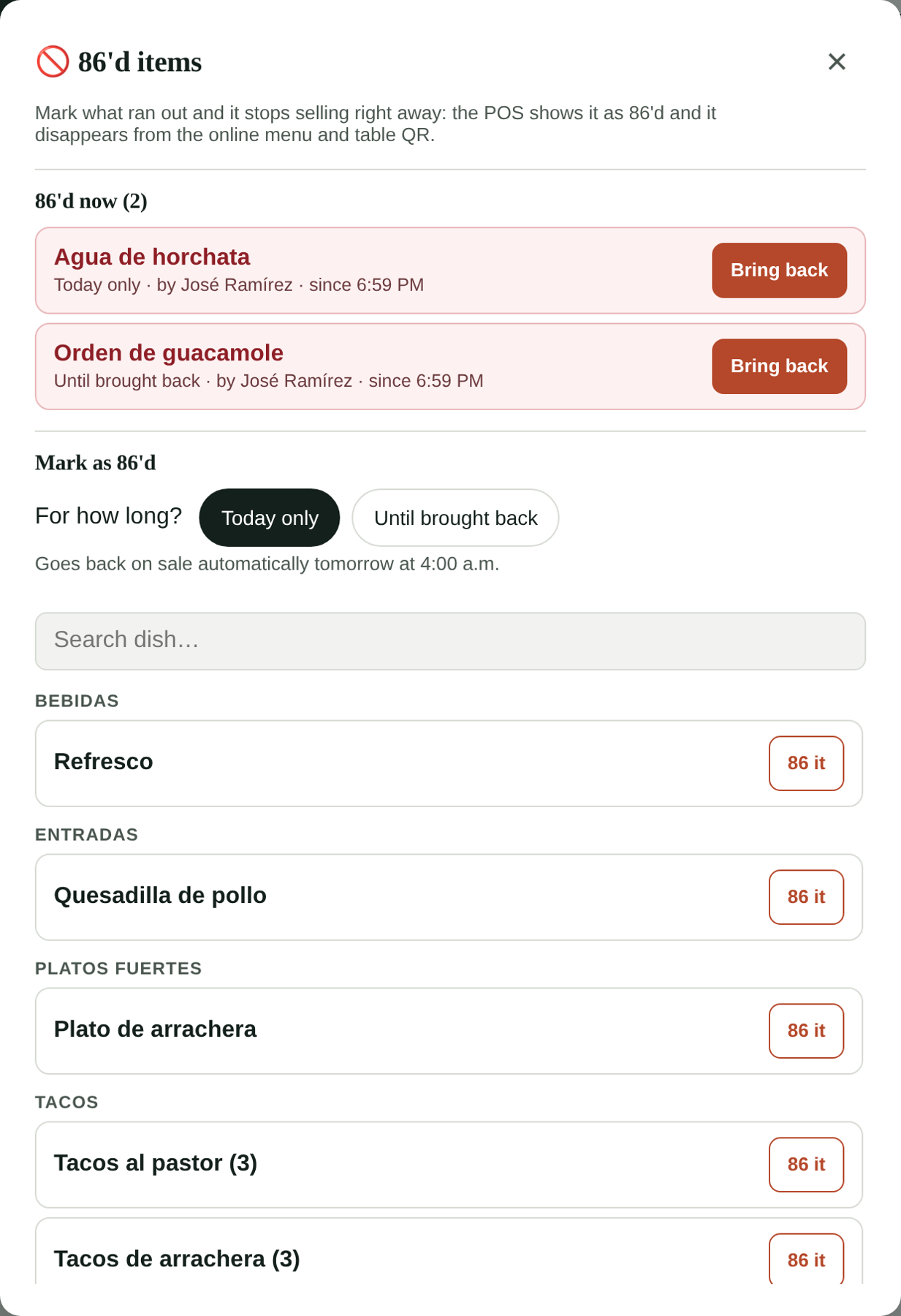
86 a dish
- On the POS tap 🚫 86'd (top bar). On the kitchen display, tap ⋮ → 86'd items.
- Choose for how long:
- Today only: goes back on sale automatically tomorrow at 4:00 a.m. This is the usual choice when it ran out during service.
- Until brought back: stays 86'd until someone brings it back. Use it when you're missing an ingredient for a few days.
- Find the dish and tap 86 it.
The number next to the 🚫 86'd button tells you how many dishes are 86'd right now.
Put it back on sale
- Open 🚫 86'd and tap Bring back next to the dish.
- Or, on the POS, tap the 86'd dish itself: the panel opens with its Bring back button ready.
Today only dishes come back on their own at 4:00 a.m. (your restaurant's time).
Who did it
Each 86'd dish shows who marked it and since when. Every time someone 86's or brings back a dish it's saved in the Activity log.
86'd is not the same as taking it off the menu
86'd is for something that ran out today or for a few days: the dish stays on your menu and comes back easily. If you won't sell it anymore, take it off the menu in Publish your dishes.
Offline
If the POS loses internet it keeps showing the last list it knew. Changes to 86'd items need a connection.