Publish dishes to your menu
A recipe of type Dish becomes a menu item when you give it a sale price. Only published dishes appear in the POS, on the Dashboard and in food cost reports.
Publish a dish
- Go to Recipes and open a recipe of type Dish.
- In Publish as menu item you'll see "This recipe is not on your menu yet".
- Enter the Sale price and choose the Menu category (Tacos, Drinks, Mains…). Categories group the dishes in the POS and on the kitchen display.
- Click Publish.
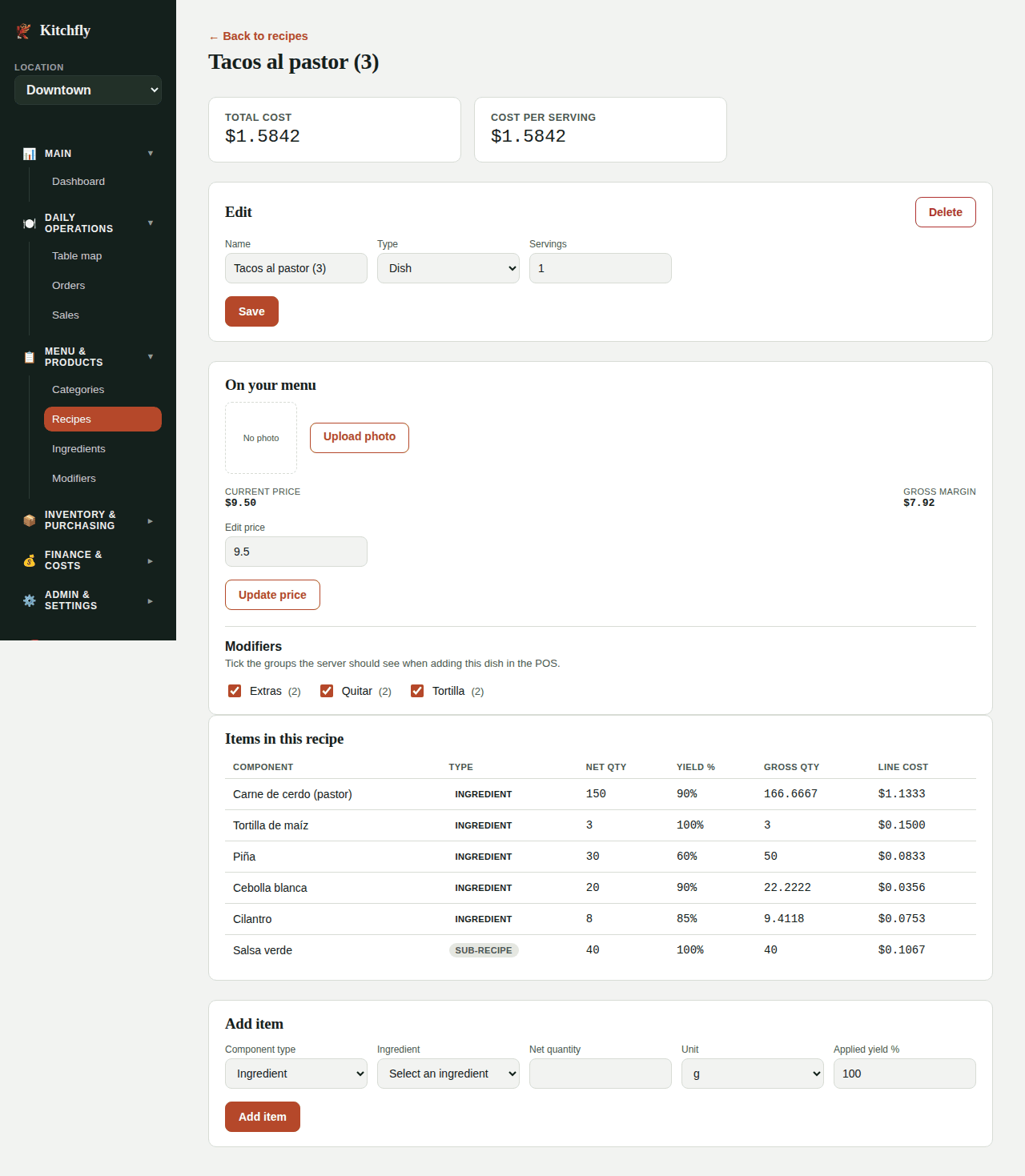
The card changes to On your menu, showing the Current price and the Gross margin (price minus cost).
Change the price
In On your menu, type the new amount in Edit price and click Update price. You can also apply the Suggested price directly from the Dashboard.
Modifiers
In On your menu → Modifiers, tick the option groups the server should see for this dish (size, extras, items to remove). See Set up modifiers.
Add a photo
Click Upload photo to add a picture of the dish. It's optional.
Price and tax
Enter the price before tax. Kitchfly adds the Sales tax % from Settings → Sales & costs when the order is closed.
Is my price right?
After publishing, check the Dashboard: each dish shows its food cost % against your target in green, yellow or red, and a Suggested price that also covers your share of fixed costs.
Next: Invite your team →