Two-step verification
With two-step verification, besides your password we ask for a 6-digit code sent to your email. So even if someone guesses or steals your password, they can't get in without access to your email.
It's available for admins. Servers and kitchen staff sign in with their employee code and don't need it.
Turn it on
- Go to My Account → Security.
- In Two-step verification by email, click Turn on.
- You'll get an email "Your Kitchfly code: …". Enter the code and click Confirm and turn on.
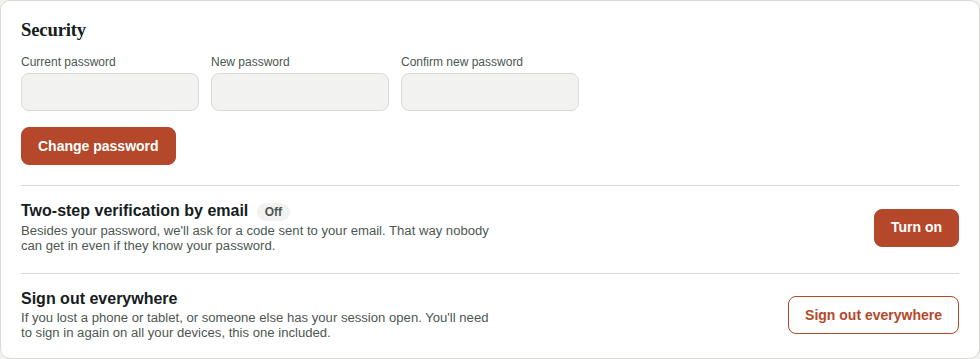
When you turn it on we sign you out on your other devices: next time you sign in there, we'll ask for the code.
Sign in with the code
- Enter your email and password as usual.
- Check your email appears. Enter the code you received (it expires in 10 minutes).
- Leave Remember this device for 30 days checked on your office computer so you don't type the code every time. On shared or someone else's computers, uncheck it.
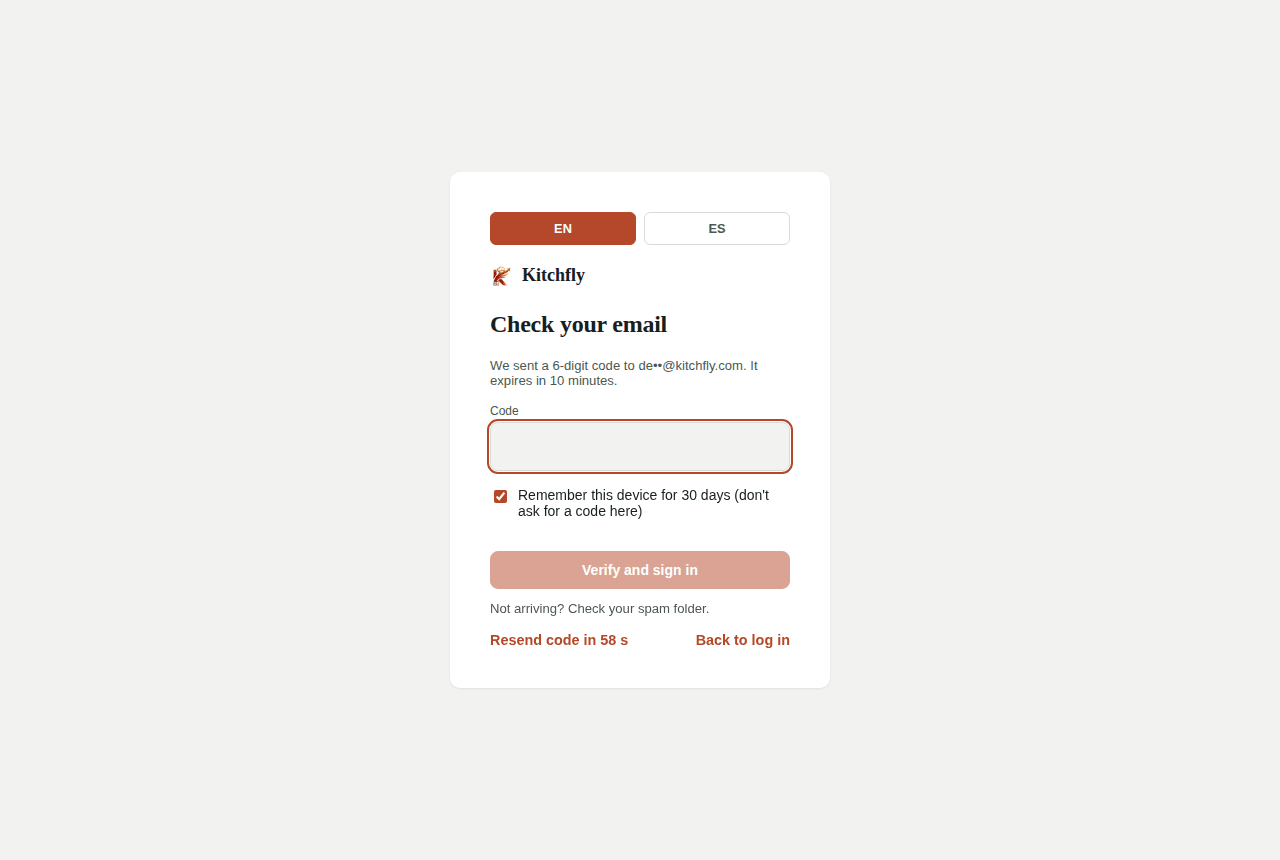
Not arriving? Wait a minute, check spam and use Resend code. A remembered device asks for a code again if you change your password or use Sign out everywhere.
If it wasn't you
If you get a code you didn't ask for, someone knows your password. Change it in My Account → Security. We'll never ask for the code by phone or text.
Turn it off
My Account → Security → Turn off, then enter your password. You'll get an email about it.
I lost access to my email
Write to [email protected] with your restaurant name. We'll verify your identity and turn it off so you can sign in and change your email.