Shift log
The shift log is where one shift tells the next what happened: an ingredient ran out, a piece of equipment acts up, a guest forgot something, the inspector is coming. No more sticky notes in the kitchen or messages lost in a group chat.
It's included in both the Basic and Pro plans. Your whole team reads and writes it: admins, the kitchen and servers, each from their own screen. Each location has its own shift log.
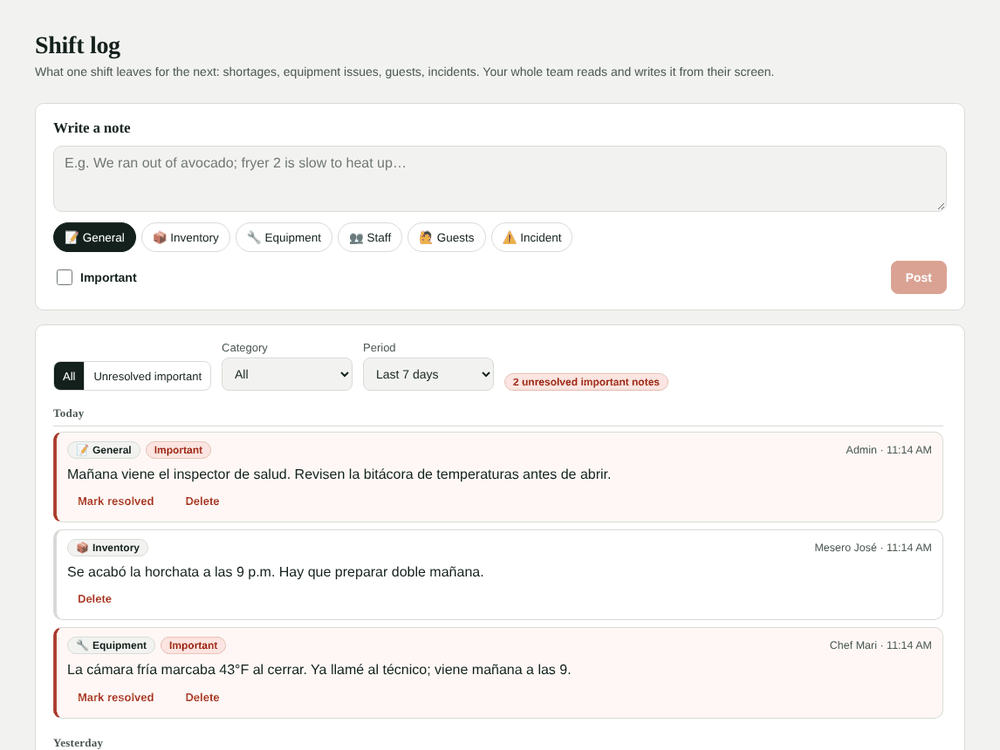
Where to find it
- Admin: Daily operations → Shift log, with the full history.
- Point of sale: the 📒 Log button at the top.
- Kitchen display: the 📒 Log button in the top bar.
The POS and kitchen show the last 3 days. The red number next to the button tells you how many new notes there are since you last opened it. If there are no new ones but an important note is still unresolved, you'll see a !.
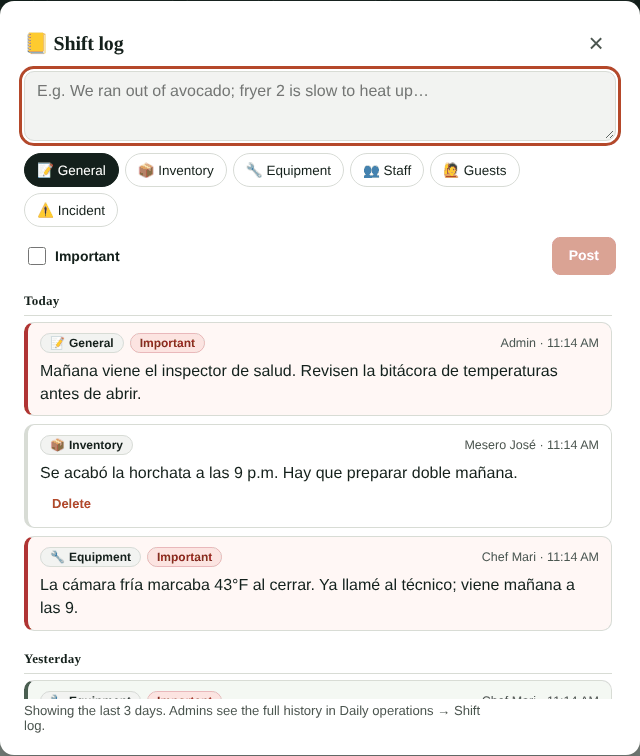
Write a note
- Open the log and write what the next shift needs to know.
- Pick a category: General, Inventory, Equipment, Staff, Guests or Incident.
- Check Important if someone needs to act on it (for example, call the technician).
- Tap Post. On a computer you can also post with Ctrl + Enter.
The note shows your name and the time. If you made a mistake, you can delete it within 10 minutes.
Important notes
Important notes have a red border and stay pending until an admin marks them resolved. Who resolved it, and when, is saved. If needed, the admin can reopen it.
On the admin screen, the Unresolved important filter shows only what still needs attention.
For admins
- Filter by category and period (3, 7, 30 or 90 days).
- Mark resolved or reopen an important note.
- Delete any note.
When you open the log, everything you see counts as read and the counter resets.
Ideas
- Shortages and prep: "We ran out of horchata, make a double batch tomorrow".
- Equipment issues: "The walk-in read 43 °F at close".
- Guests: lost items, special orders for another day, complaints.
- Manager notices: "The health inspector comes tomorrow, check the temperature log".
For temperature and cleaning records, use the food safety log; to mark dishes that ran out, see Sold out items.