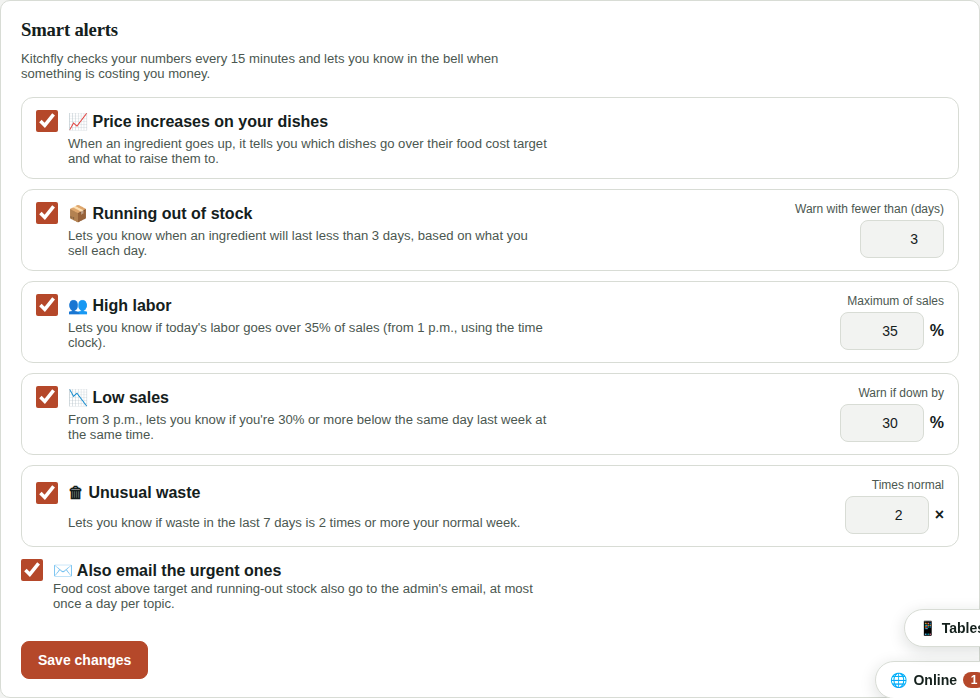
Smart alerts
Kitchfly doesn't just store your numbers: every 15 minutes it checks what's happening in your restaurant and lets you know when something is costing you money. Alerts show up in the bell 🔔 in the menu (only the admin sees it).
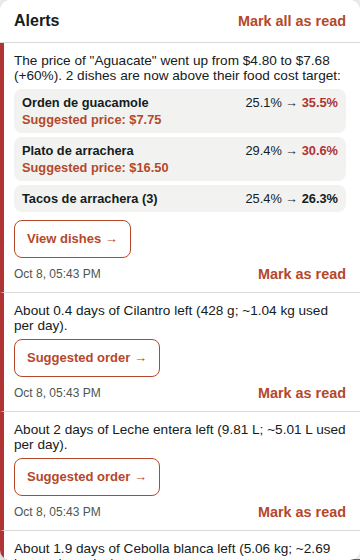
Each alert has a button that takes you to where you fix it. The ones with a red stripe are urgent.
What it warns you about
| Alert | When it arrives | Takes you to |
|---|---|---|
| Price increases on your dishes | When you record a purchase (or change an ingredient's price) that's higher than before. It shows which dishes use that ingredient, their food cost before and now, and for the ones over target, the suggested price to get back on target (rounded to 25 cents). | Recipes |
| Running out of stock | When an ingredient will last less than 3 days based on what you sell each day (average of the last 2 weeks). It warns before it hits zero, not only when it drops below the minimum stock. It repeats at most every 3 days per ingredient. | Suggested order |
| Expiring soon | Every morning (from 7 a.m.), what expires in the next 2 days based on your purchases and each ingredient's shelf life (Expiring). Email only if something expires today or tomorrow. Once a day. | Expiring |
| High labor | From 1 p.m., if today's labor (from the time clock) goes over 35% of sales. Once a day. | Labor |
| Low sales | From 3 p.m., if you're 30% or more below the same day last week at the same time. Once a day. | Reports |
| Unusual waste | If waste in the last 7 days is 2 times or more your normal week (average of the previous 4 weeks). At most once a week. | Losses |
Each dish's food cost target is the one you set on the dish or, if it has none, the one in Settings → Sales & costs.
Why didn't I get an alert?
Alerts need data: running out of stock needs at least 3 days of POS sales, labor needs the time clock and low sales needs sales last week. If you haven't sold anything today, it doesn't warn about low sales (you may be closed).
Also by email
The urgent ones (dishes above their food cost target and running out of stock) also go to the admin's email, at most once a day per topic, with the list and a button to open Kitchfly.
Adjust them
In Settings → Alerts you can turn each alert off, change its limits (days of stock, maximum labor %, sales drop % and times-normal for waste) and choose whether urgent ones go by email. Tap Save changes.