Work without internet
If the restaurant's internet goes down, the POS keeps working on the server's tablet or computer. A yellow notice appears at the top: No internet — working offline.
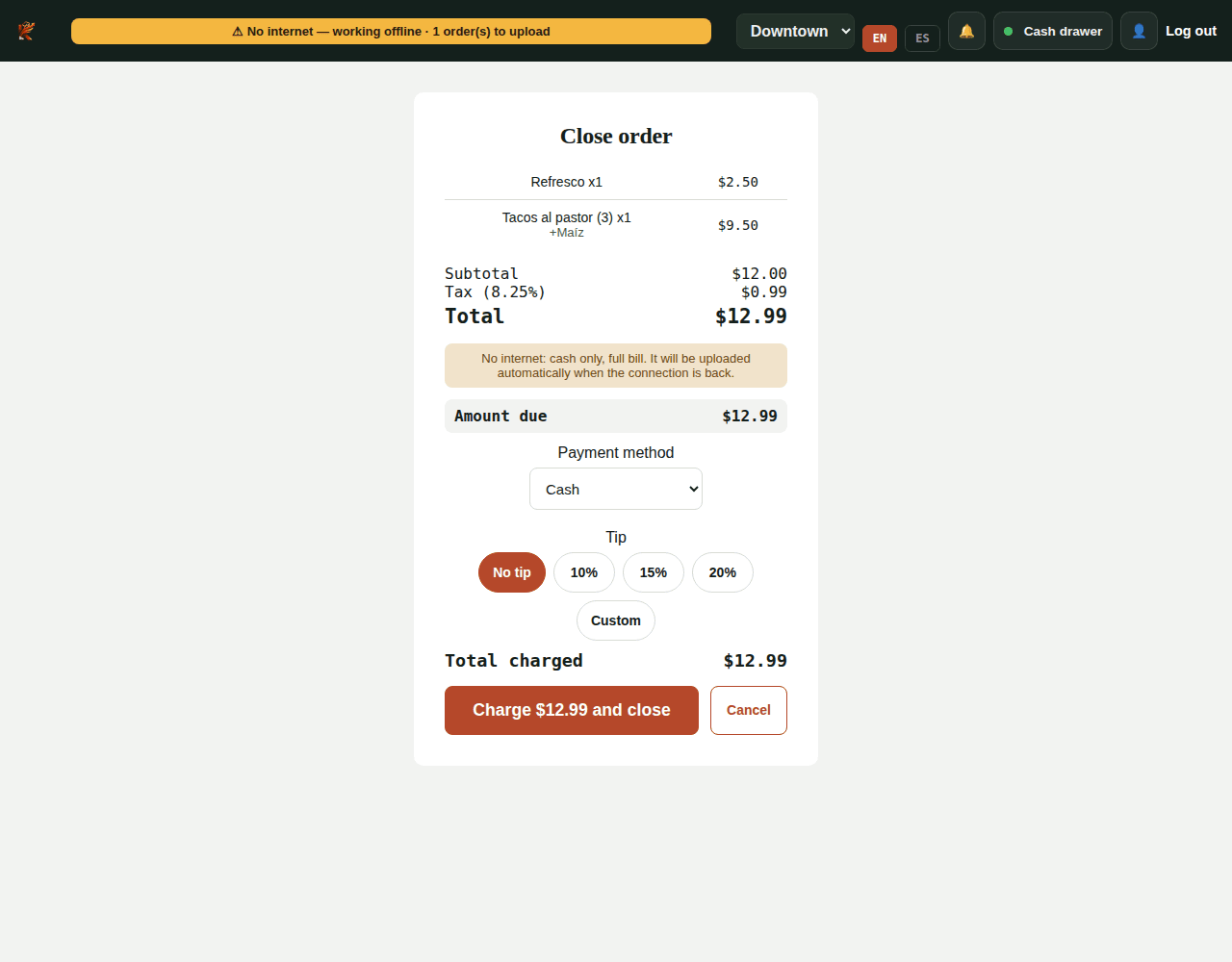
What you can do offline
- Open new tickets and add dishes, with modifiers, notes and allergies.
- Send to the kitchen, with the printed kitchen ticket if the printer is connected to that device.
- Charge the full bill in cash, with tip, and print the receipt.
Orders are saved on the device. The notice shows how many are waiting to be uploaded.
What needs internet
- Card payments (Square).
- Splitting the bill.
- Discounts, comps and voids, because the PIN is checked on the server.
- Opening or closing the cash drawer. If it was already open, you can still take cash.
- Changing tickets opened before the connection dropped.
- The kitchen display on another device doesn't receive orders while there's no internet: use the printed kitchen ticket.
- The admin panel (costs, inventory, reports).
When the internet comes back
Kitchfly uploads the orders by itself within seconds. You don't need to do anything:
- Paid orders are recorded with their sale, inventory, the shift's cash drawer and QuickBooks.
- Orders that are still open become normal tickets, and you can keep working on them.
- If an order is sent twice, Kitchfly doesn't duplicate it.
Before first use
The POS saves the menu on the device the first time it opens with internet. If you change the menu, open the POS with internet so it updates. Don't clear the browser data while orders are waiting to upload.
Still need help?Use the Support button inside Kitchfly (how) or email [email protected] with your restaurant name and a screenshot. We'll get back to you as soon as possible.