Post-visit and post-order surveys
After an order or a visit, Kitchfly asks the customer to rate you with stars (it takes 10 seconds). Customers who rate you high are invited to leave a Google review; if someone rates you low, we alert you so you can reach out before they post it somewhere else.
Surveys are optional: you decide whether to turn them on and where to ask, and customers decide whether to answer (and can ask us to stop sending them). Included in both plans.
Turn them on
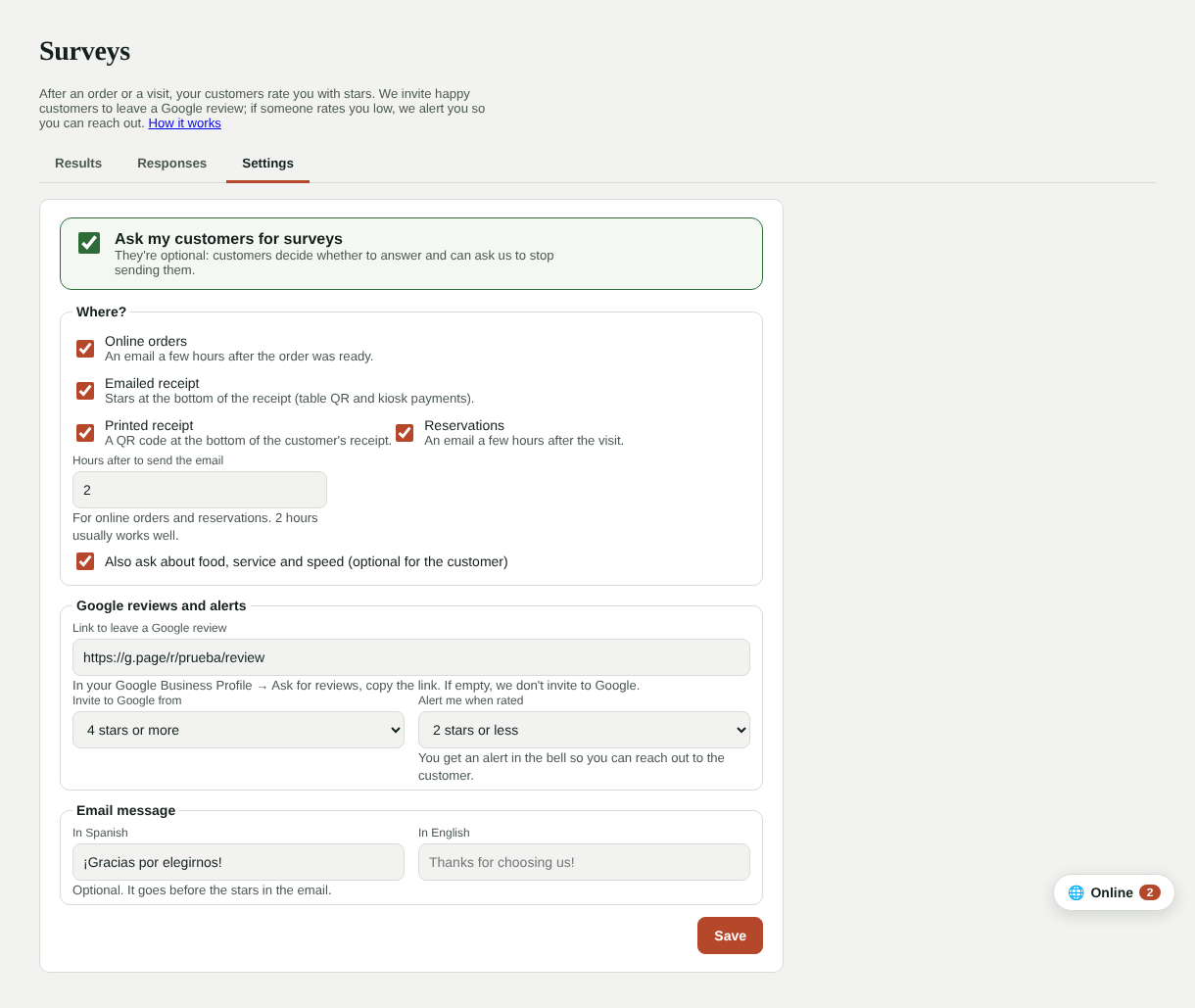
Go to Daily operations → Surveys → Settings:
- Check Ask my customers for surveys.
- Choose where:
- Online orders: an email a few hours after the order was ready.
- Emailed receipt: stars at the bottom of the receipt when customers pay from the table QR or the kiosk.
- Printed receipt: a QR code at the bottom of the customer's receipt.
- Reservations: an email a few hours after a reservation that showed up.
- Choose how many hours after the email goes out (2 hours usually works well).
- Optionally also ask about food, service and speed (optional for the customer).
- Paste the link to leave a Google review: in your Google Business Profile, look for Ask for reviews and copy the link.
- Choose from how many stars we invite to Google (for example, 4 or more) and at how many we alert you (for example, 2 or less).
- Tap Save.
What customers see
The email has five stars: one tap opens the survey with that rating. They can add details and a comment. If they rate low, they can ask for the manager to contact them.
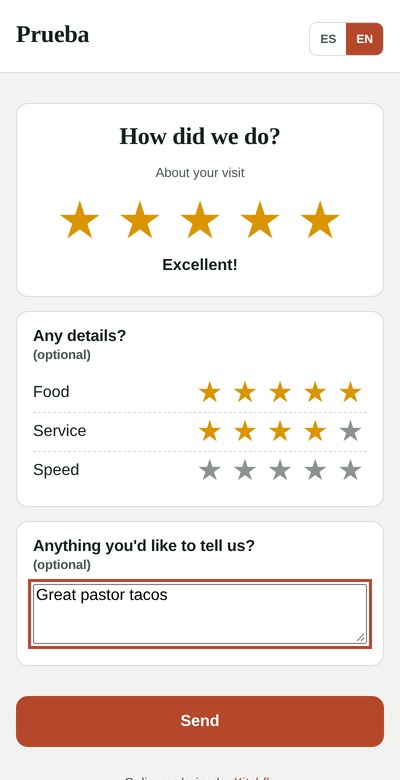
When they send it:
- With a high rating (and if you added your link) they see Leave a Google review.
- With a low rating we tell them the manager already knows, and you get an alert in the bell with their comment.
See the results
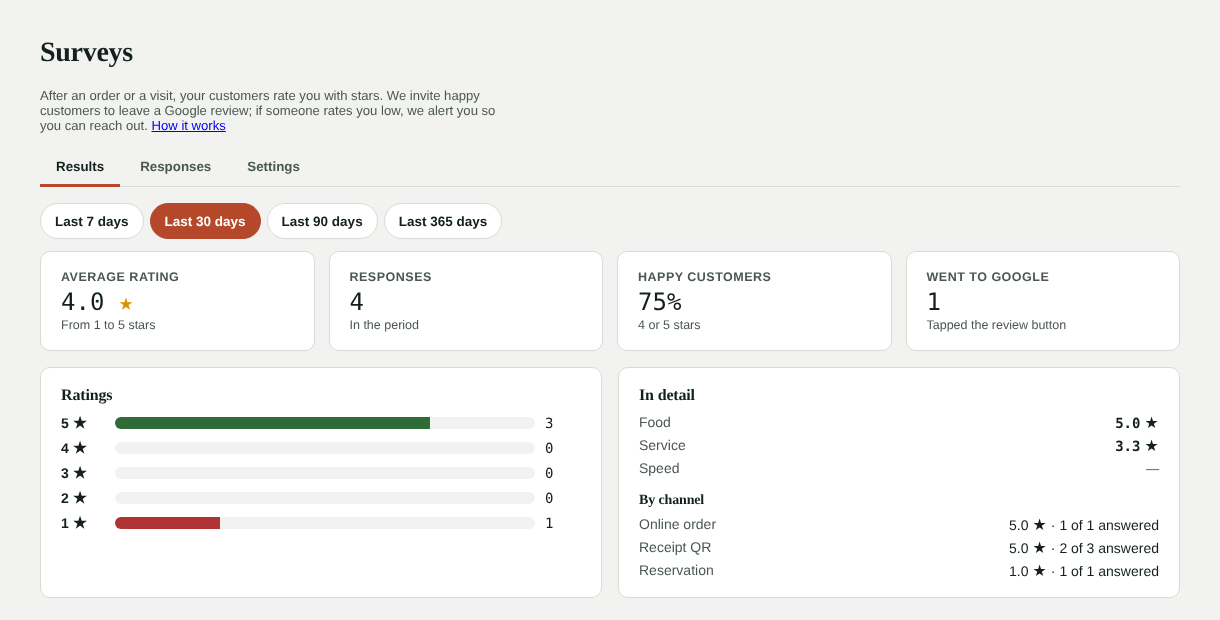
Results shows the average rating (and what it was before), how many answered, the share of happy customers (4 or 5 stars), how many went to Google, the star distribution, the food, service and speed averages, and how many answered per channel.
Responses lists each response with its comment, the customer and which order or visit it came from. Unhandled low ratings are highlighted: tap Follow up, call or email them (phone and email are right there) and note what was done. It records who handled it.
FAQ
Does everyone get a survey? Only through the channels you turn on, one per order or visit, and never to people who asked not to receive surveys.
Does Kitchfly post reviews on Google? No. We only invite happy customers to leave one themselves with your link. Google doesn't allow paying for or filtering reviews; we don't hide or change anything.
If I turn surveys on today, will last week's orders get one? No. They're only sent for orders and visits from the last 2 days.