Equipment maintenance
A fridge that stops cooling on a Saturday or a hood with clogged filters gets expensive. In Maintenance you add your equipment, schedule its preventive maintenance (Kitchfly reminds you when it's due), and your team reports breakdowns from the kitchen or the POS. Everything stays in a history with its cost.
Included in both plans. You'll find it under Daily operations → Maintenance (admins). Anyone can report a breakdown.
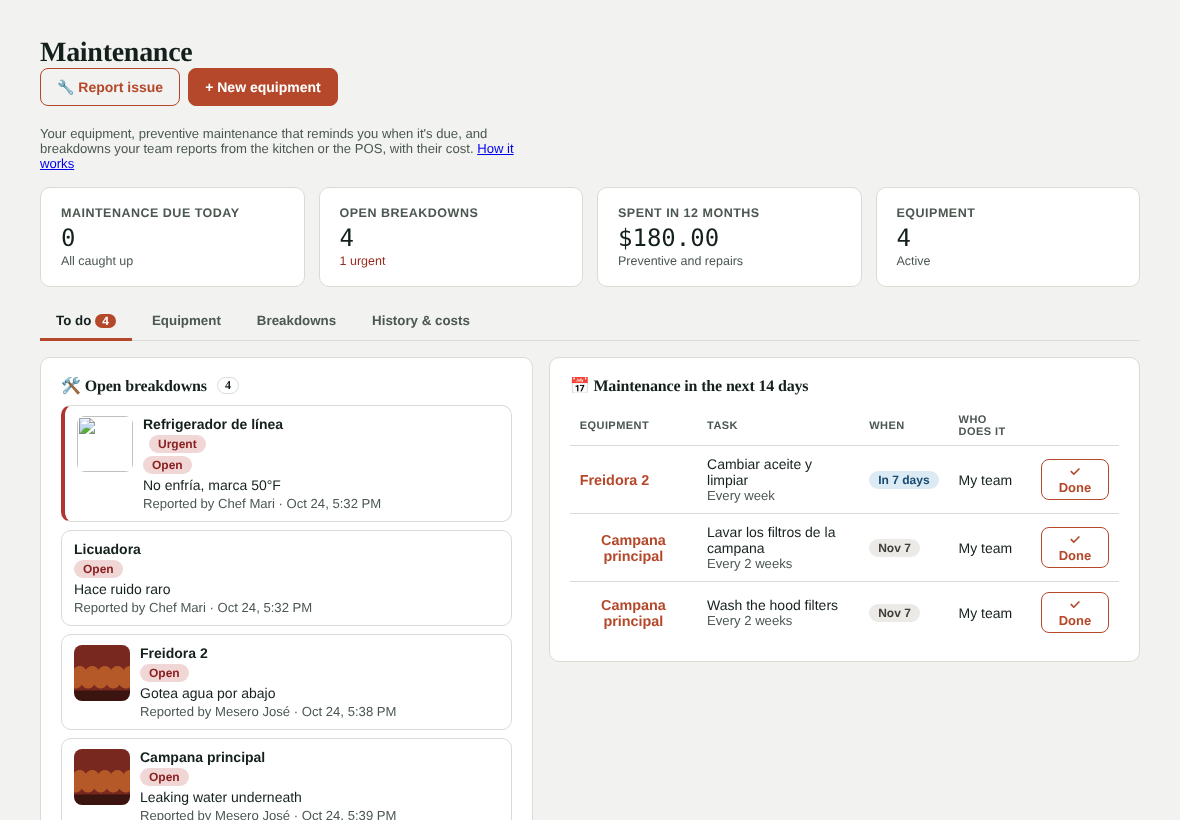
Add your equipment
- Tap + New equipment.
- Enter the name (for example "Line fridge"), choose the type and the location.
- Optionally add the brand, model, serial number, purchase date and warranty end date.
- Add the technician or service company and their phone so you have it handy when something breaks.
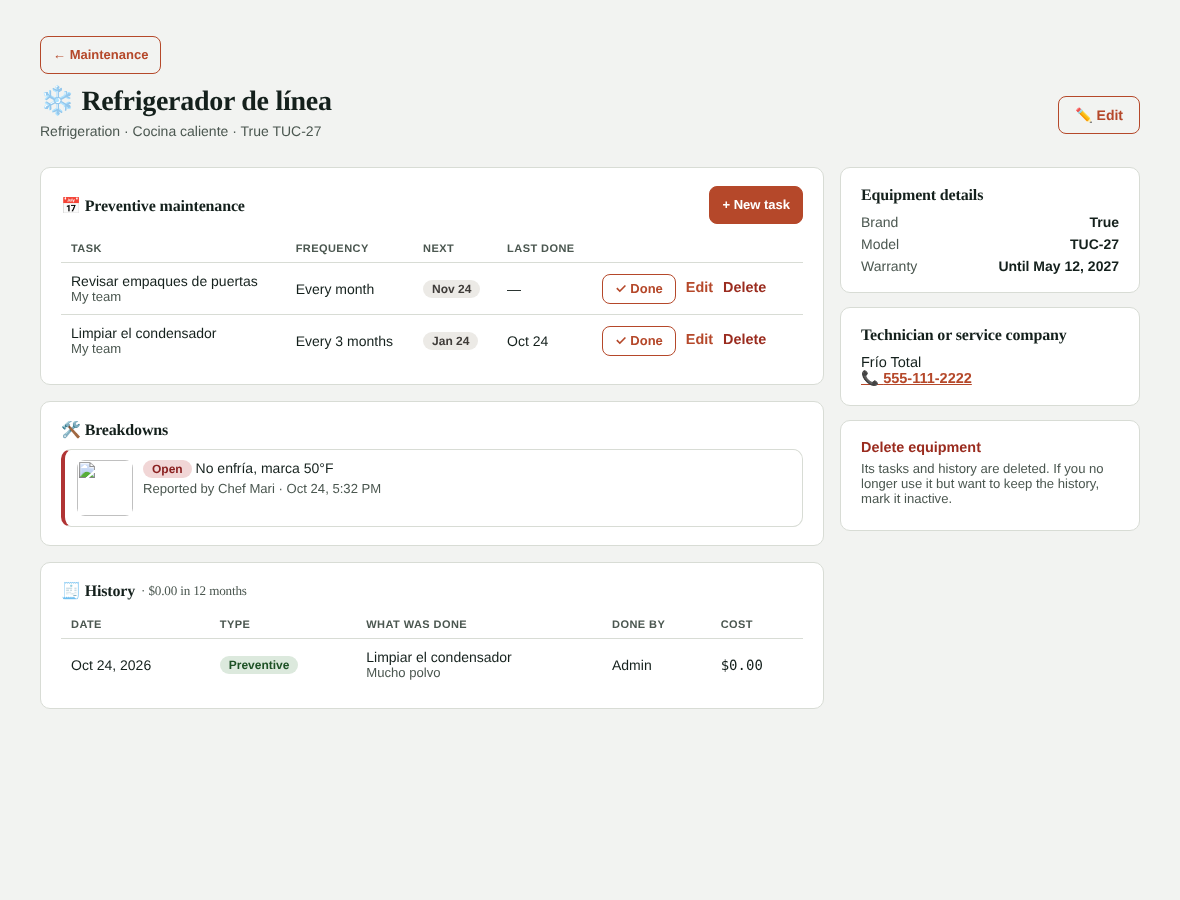
- Based on the equipment type we suggest its preventive maintenance (for example, for refrigeration: clean the condenser coils every 3 months, check door gaskets every month and a technician service every 6 months). Uncheck what doesn't apply.
- Tap Save.
Preventive maintenance
Each task has what needs to be done, how often (days, weeks or months), who does it (your team or a technician) and the next date.
When it's due:
- You get one alert a day in your alerts bell with today's tasks and any overdue ones.
- It shows in your daily summary email, under For tomorrow.
- To do shows what's due in the next 14 days, with Today in amber and Overdue in red.
Once it's done, tap ✓ Done: enter the date, who did it and the cost, if any. The next date is calculated automatically from the day it was done.
You can add tasks, change their frequency or pause them from the equipment page.
Report a breakdown
Anyone can report something broken:
- Servers: the 🔧 Report issue button on the POS top bar.
- Kitchen: the 🔧 Report issue button at the top of the kitchen display.
- Admin: the 🔧 Report issue button in Maintenance.
They choose the equipment (or type which one, if it's not on the list), what's wrong and, optionally, take a photo. If there's already an open report for that equipment, Kitchfly says so to avoid duplicates.
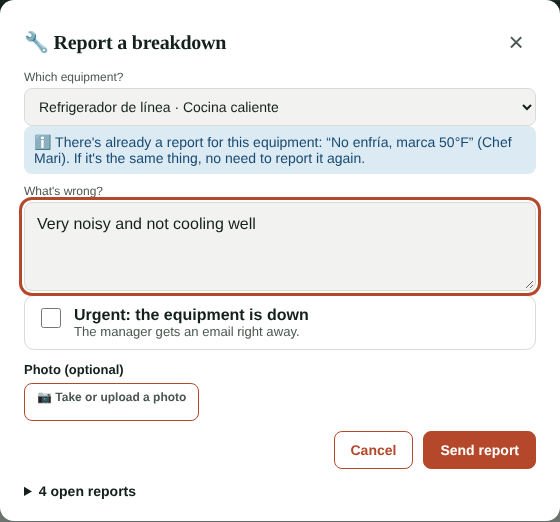
If they check Urgent: the equipment is down, besides the bell alert you get an email right away, with the photo and the equipment's technician phone number.
Follow up on a breakdown
Tap the breakdown to open it and change its status: Open → In progress → Waiting for part or technician → Fixed. Enter who's fixing it and the cost. When you mark it Fixed, write what was done: it's saved as a repair in the equipment's history.
If the report was a mistake or a duplicate, use Delete report.
History & costs
History & costs shows everything that was done (preventive and repairs) in the last 30, 90 or 365 days, the total spent and how much each piece of equipment has cost you. Handy for deciding when it's better to replace equipment instead of repairing it again.
FAQ
Do servers see costs? No. They only report breakdowns and see the open ones.
What happens if I delete equipment? Its tasks and history are deleted. Reported breakdowns stay. If you no longer use it but want to keep the history, edit it and uncheck Active: reminders stop.
Is this connected to the food safety log? They're different: in food safety you log temperatures; if a fridge reads out of range, report it here as a breakdown to follow up.