Cash drawer and end-of-shift report
The cash drawer tracks the cash in the register during a shift: you open it with a float, record cash in and cash out, and close it by counting the money.
Cash payments need an open drawer
If the drawer is closed, the POS won't take cash payments and offers to open it. Card payments always work.
Open the drawer
- In the POS, tap Cash drawer (the dot is red when it's closed, green when it's open).
- Type the Opening float you're starting with and tap Open drawer.
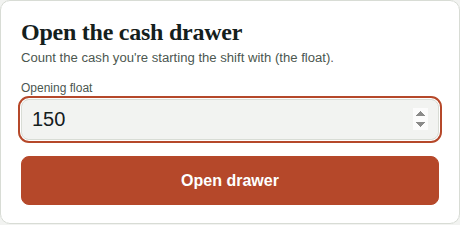
You can have several shifts per day (morning and evening), but only one open drawer at a time.
Cash in and cash out
In Cash drawer → Cash in / cash out:
- Cash out: money you take from the drawer (e.g. Paid for ice). It needs an admin PIN.
- Cash in: money you add (e.g. more change).
During the shift
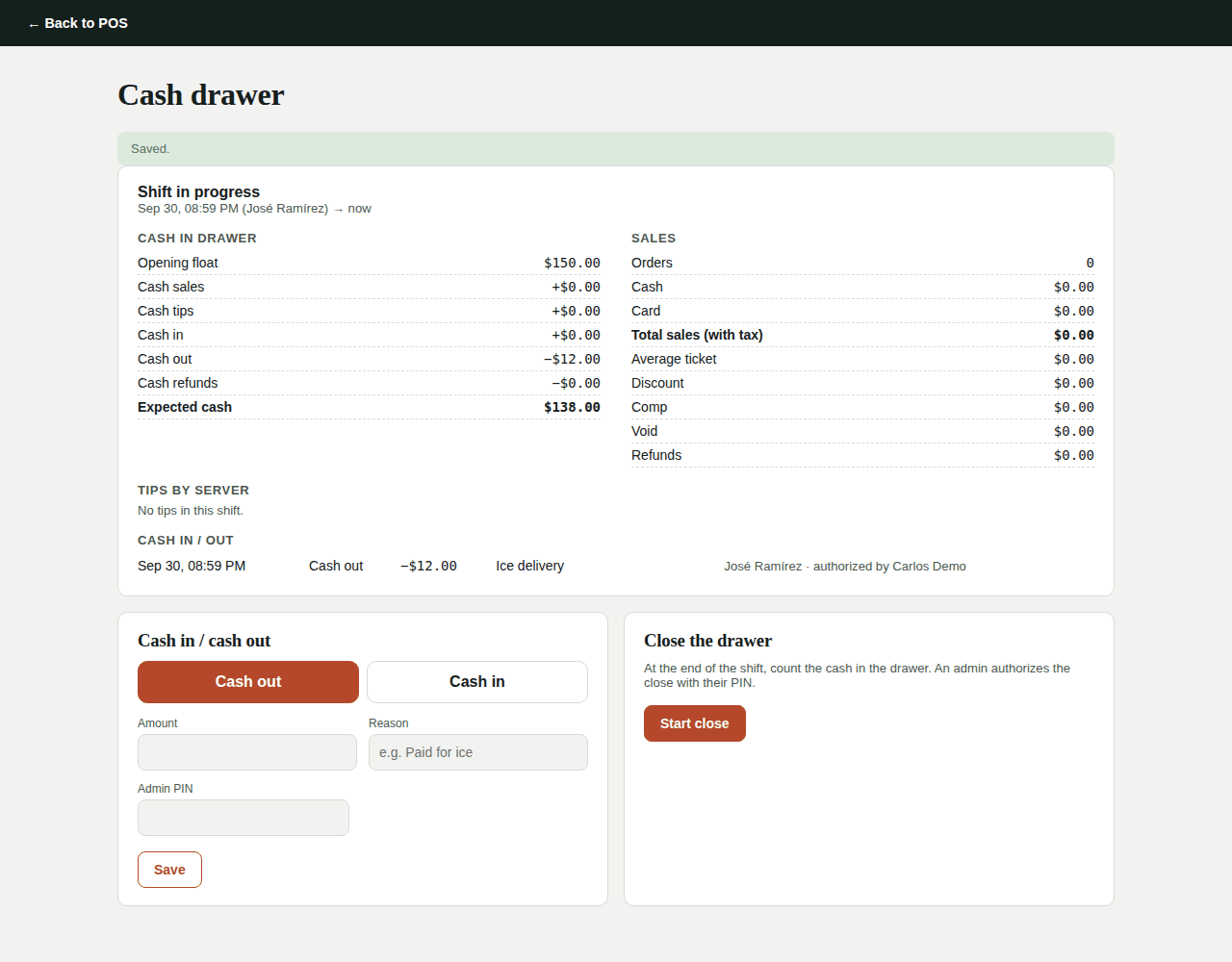
The screen shows in real time:
- Cash in drawer: float + cash sales + cash tips + cash in − cash out − cash refunds = Expected cash.
- Sales: orders, cash, card, average ticket, discounts, comps, voids and refunds.
- Tips by server, split by cash and card.
Close the drawer
- Tap Start close.
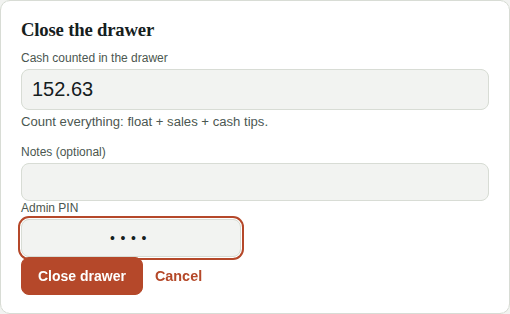
- Count all the cash in the drawer (float + sales + cash tips) and type it in Cash counted in the drawer.
- An admin types their PIN and taps Close drawer.
Kitchfly shows the Closing report with the Over or Short amount. Tap Print to keep a copy.
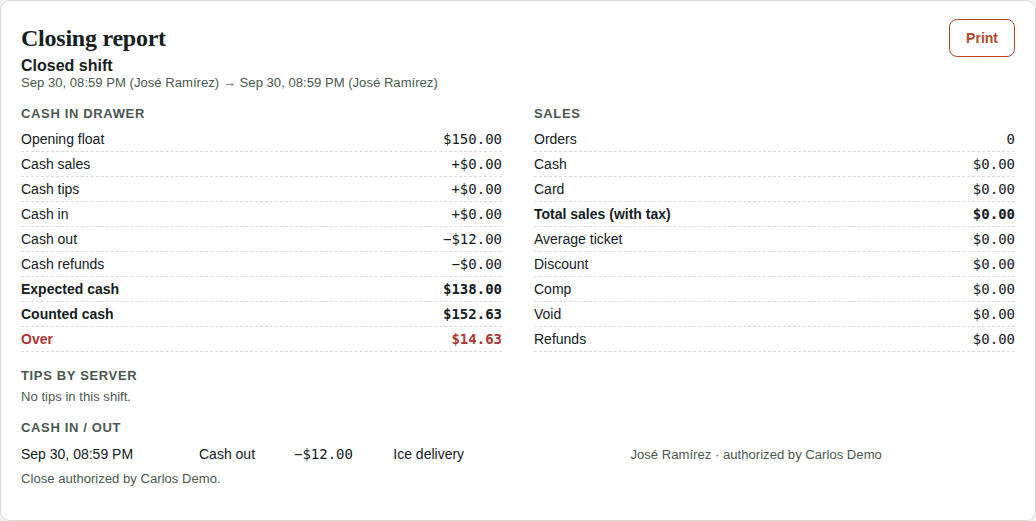
The admin can review every shift in Orders → Cash shifts.
Blind cash count
With a blind count, whoever closes the drawer counts the cash without knowing how much there should be. That way the count reflects what's really in the drawer: nobody can "adjust" the number to make it match, and counting mistakes aren't hidden.
Turn it on in Settings → Sales & costs → Blind cash count and choose the Tolerance (default $5). It applies to shifts opened after you turn it on.
With blind count on:
- In the POS, the drawer only shows the opening float, cash in and cash out. Expected cash and shift sales are visible to the admin only.
- At close, cash is counted by bill and coin: enter how many of each there are and Kitchfly adds it up. Use Other for coin rolls or checks.
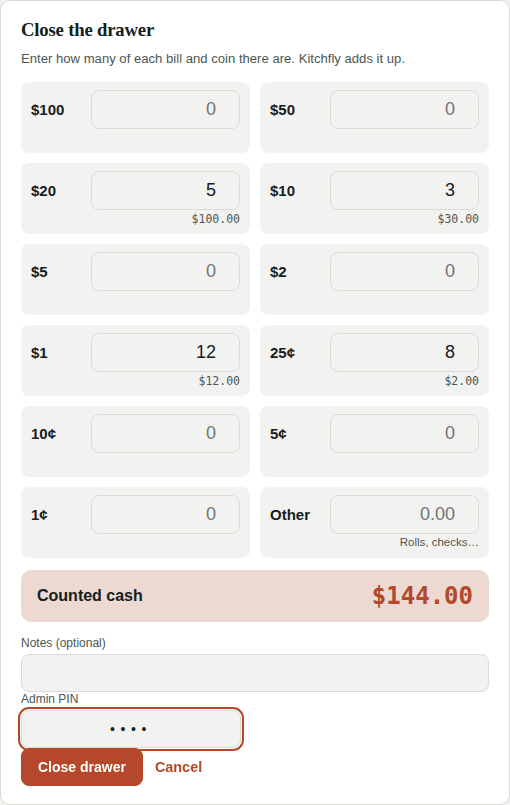
- If the count is off from the expected amount by more than the tolerance, Kitchfly asks to count again from scratch, without saying how much is missing or whether there's extra. The second count closes the drawer.
- When done, the cashier only sees "Count recorded" with what they counted, and can print that receipt.
- If there's a shortage larger than the tolerance, the admin gets an alert in the bell.
In Orders → Cash shifts, the admin sees everything: expected, counted, difference, the first count if a recount was requested, and the breakdown by bill and coin.