Split the bill
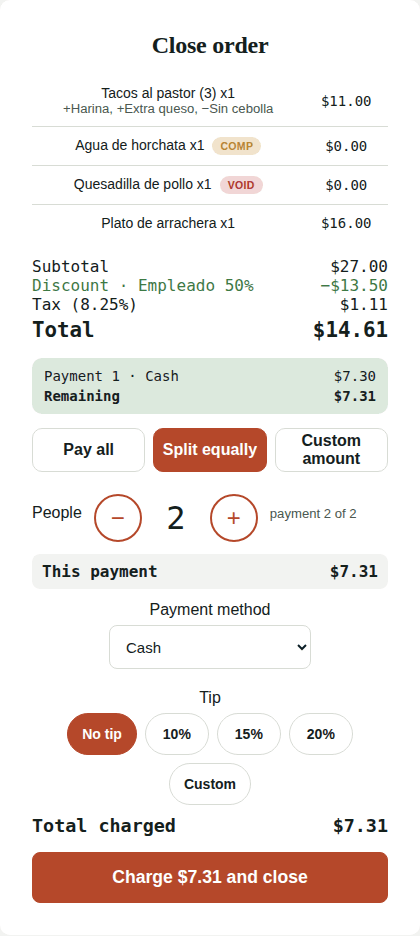
When you tap Close order you can charge everything at once or in several payments, each with its own payment method and tip.
Options
| Option | When to use it |
|---|---|
| Pay all | One person pays the whole bill. |
| Split equally | Pick how many People with − / +. Each one pays the same; the last payment absorbs the leftover cents. |
| Custom amount | Charge any amount (e.g. $20 in cash) and the rest afterwards. |
Step by step
- Tap Close order and choose the option.
- Pick the Payment method (Cash or Card) and the Tip for this payment.
- Tap Charge $…. The payment shows at the top with Remaining.
- Repeat for the next person. The last button says Charge $… and close: the order closes by itself once it's fully paid.
Things to know
- Tips are calculated on each person's share.
- With card, each payment is a separate charge in Square.
- After the first payment the order can no longer be edited.
- Cash payments need the cash drawer to be open.
- Refunds of a split order are made per payment, from Orders.
Still need help?Use the Support button inside Kitchfly (how) or email [email protected] with your restaurant name and a screenshot. We'll get back to you as soon as possible.